The LEGO® House: Experience Zones (Part 2)

Part 1 went through the green and yellow zones. Now it’s onto the red and blue zones. In no particular order…

Starting in the blue zone, the City Architect area highlights city planning and how bricks can be used to map out cities. The activity here involves a digitally projected city. The city has red, yellow, blue, and green people running around it. Each type of person has different needs which are represented by colors. I forget which is which, but there are trees, homes, and industry.

In order to “play,” you look for an area on the digitally projected map where a lot of people of the same color are building up in an area. I found a bunch of red people. I went to the red tower and found a red 8x8 plate. Then I built my miniature building. After you build your building, take a picture of it at the kiosk, you put your building down on the digital map. The people see it and then they go inside your building and happiness abounds.

My 5-year old didn’t appreciate this one as much as building with plates isn’t quite for 5-year olds. I enjoyed it as an adult. The only challenging part was trying to build. The piles of parts are all white and clear. It was hard to find the exact piece you wanted as there was no change in color. Despite that, it was definitely something different and fun.

The City Architect area

The City Architect area

My addition to the City Architect area

My addition to the City Architect area

More of the City Architect area
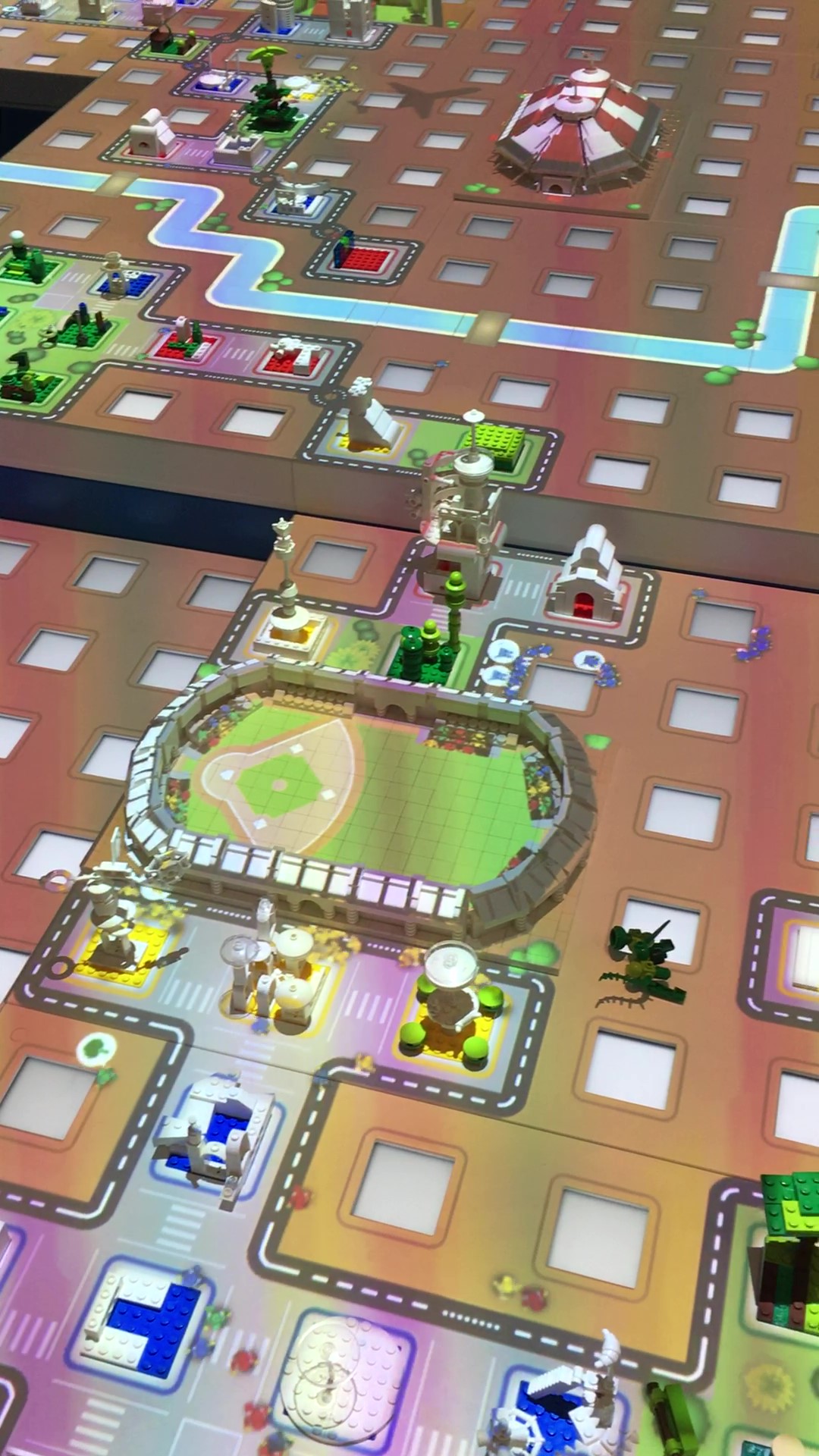
More of the City Architect area

Here is the “play” area for City Architect. You can see some of the buildings created by others and some of the pre-made buildings like the stadium. You can see the different colored people walking around the city.

Here is the “play” area for City Architect. You can see some of the buildings created by others and some of the pre-made buildings like the stadium. You can see the different colored people walking around the city.

Right next to the City Architect area is the LEGO® DUPLO® Train Builder section. My almost 2-year old loved this section. It was just a giant pile of tracks, engines, train cars, some train drivers, and a few DUPLO bricks. Not much to it other than free play. There were a few tracks set up… not sure if they were from previous guests or if some of the workers pre-build the tracks at the start of the day.

Unlike many places, all of the train engines had full up batteries and worked well. I wonder how often they make sure everything is charged?

My little one wasn’t the only one playing there and I think LEGO did it right to mix in some of the DUPLO activities near the brick activities so older kids and younger kids could have fun in the same area.

duplo_train.jpg

Next to the City Architect area is the Robo Lab. There is a screen at the entrance that tells you when the next game will start. There is space for a line to form, but we never had to wait as there were always slots open whenever they were starting a new game and we wanted to play. The worker scans you in and you get assigned a screen. My 5-year old found a stool to stand on and the worker was able to scan my NLS or I in with my kiddo so we could help out.

So the game… it is based on the CITY Arctic theme. The story goes that a scientific research vessel is trying to go get some woolly mammoths and they get caught in a storm. The mammoths and minifigures are frozen in the ice. Your job is to steer a robot around the ice to unfreeze the minifigures so they can break the mammoths free.

The controls are pretty easy to pick up. You can go forward, backwards, turn either way, freeze something (if you need to build an ice bridge over the water), or melt something. You can adjust how much you turn too, but that was a bit more challenging for my 5-year old and the adjustment button didn’t always cooperate.

Time starts, you watch an intro clip, your robots do a dance, and then you get to it. With some help, my 5-year old enjoyed it. Every time you free a minifigure, there is much rejoicing. The system will let you program around 12 moves with the robot. We stuck to 1 or 2 with my 5-year old, but there were some adults there putting more moves in. During one session there were a number of younger kids on our side of the play area and the worker came over to “help” us out.

In the end after the celebration because you got all of the minifigures out and the mammoths were freed, you get a picture sent to your file saying that you did a “great job!” Much like the City Architect activity, this one was quite different and I liked it. It still involved LEGO, but it involved problem solving and thinking in different ways than the building activities. I’m curious if this activity will evolve over the years?

The playing area… some robots out looking for the frozen minifigures (shown by the gray-ish blobs). The larger white hunks are the frozen mammoths.

The playing area… some robots out looking for the frozen minifigures (shown by the gray-ish blobs). The larger white hunks are the frozen mammoths.

We did it!

We did it!

Here we are using the flame thrower to unfreeze a minifigure. You can see the control screen. The top line is where you drag the commands and then hit play. The next row is the different commands that you can drag up to the top row.

Here we are using the flame thrower to unfreeze a minifigure. You can see the control screen. The top line is where you drag the commands and then hit play. The next row is the different commands that you can drag up to the top row.

The last part of the Blue Zone is the Test Driver area. There are 2 sections. The one shown below is the race track. With a pile of bricks and wheels, you build a car, put it up there against others, and race it to the bottom. You set it up against a gate, there is a button to press, the gate goes down, and you watch to see who gets to the bottom first. Then you can adjust your car to make it better.

The other part has a ramp that is angled downward. It then hits a jump and you have to get your car to go through a circle while airborne. This is where I should have taken a picture of it, but I didn’t. We built a few cars with not much success. A worker stopped by and saw my 5-year old having some trouble and then gave a building tip to help ensure success. It worked and we got our cars through the circle. I won’t say what the tip is in the event you go and want to try it on your own. This part was fun only I found it odd that there is a video that plays if you are successful, but it is not your car. It's some other random car going through.

You can also take pictures of you holding your car with your wrist band and the kiosks there.

test_driver.jpg

Onto the Red Zone. The main part of this section is the LEGO® Brick Builder area. This is essentially a free build area. There are a large amount of pieces and you can build whatever you want. The main area is right next to a brick built waterfall. This area had all sorts of colors of pieces. Some people leave their designs for others to see and some attach their designs to the waterfall. The LEGO® House even has a few fan built creations on display for others to see. Also in this area is a LEGO® Movie 2 build station for Queen Watevra Wa'Nabi. There are a number of different faces and then a bunch of pieces to go with it. Think of it as a giant set #70825-1: Queen Watevra’s Build Whatever Box. Next to those is another area with just yellow pieces for you to build with.

Free builid area next to the brick waterfall
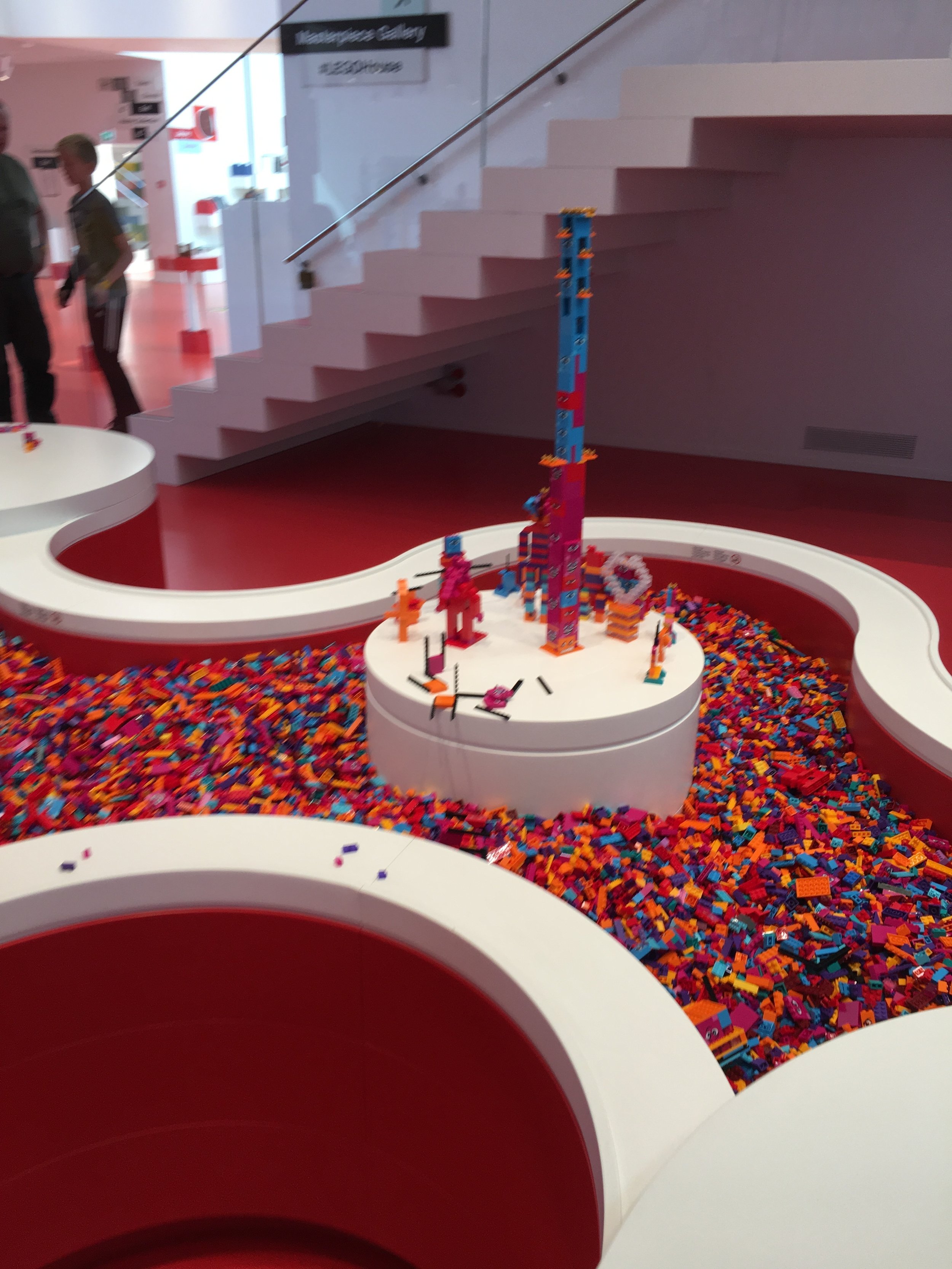
Free builid area next to the brick waterfall

Queen Watevra Wa'Nabi - Build Station

Queen Watevra Wa'Nabi - Build Station

Yellow brick building area. You can see a bunch of the fan sets on display in a case in the back right of the picture. In the back left, you can see 2 of the kiosks for scanning your wristband and taking some pictures of your builds.

Yellow brick building area. You can see a bunch of the fan sets on display in a case in the back right of the picture. In the back left, you can see 2 of the kiosks for scanning your wristband and taking some pictures of your builds.

Also in the Red Zone is the LEGO® DUPLO® Brick Builder area. There is a DUPLO waterfall and then a large amount of DUPLO pieces to build with. We built a large “road” for my 2-year old to stack the DUPLO figures on. We must have found around 50 to put on the road.
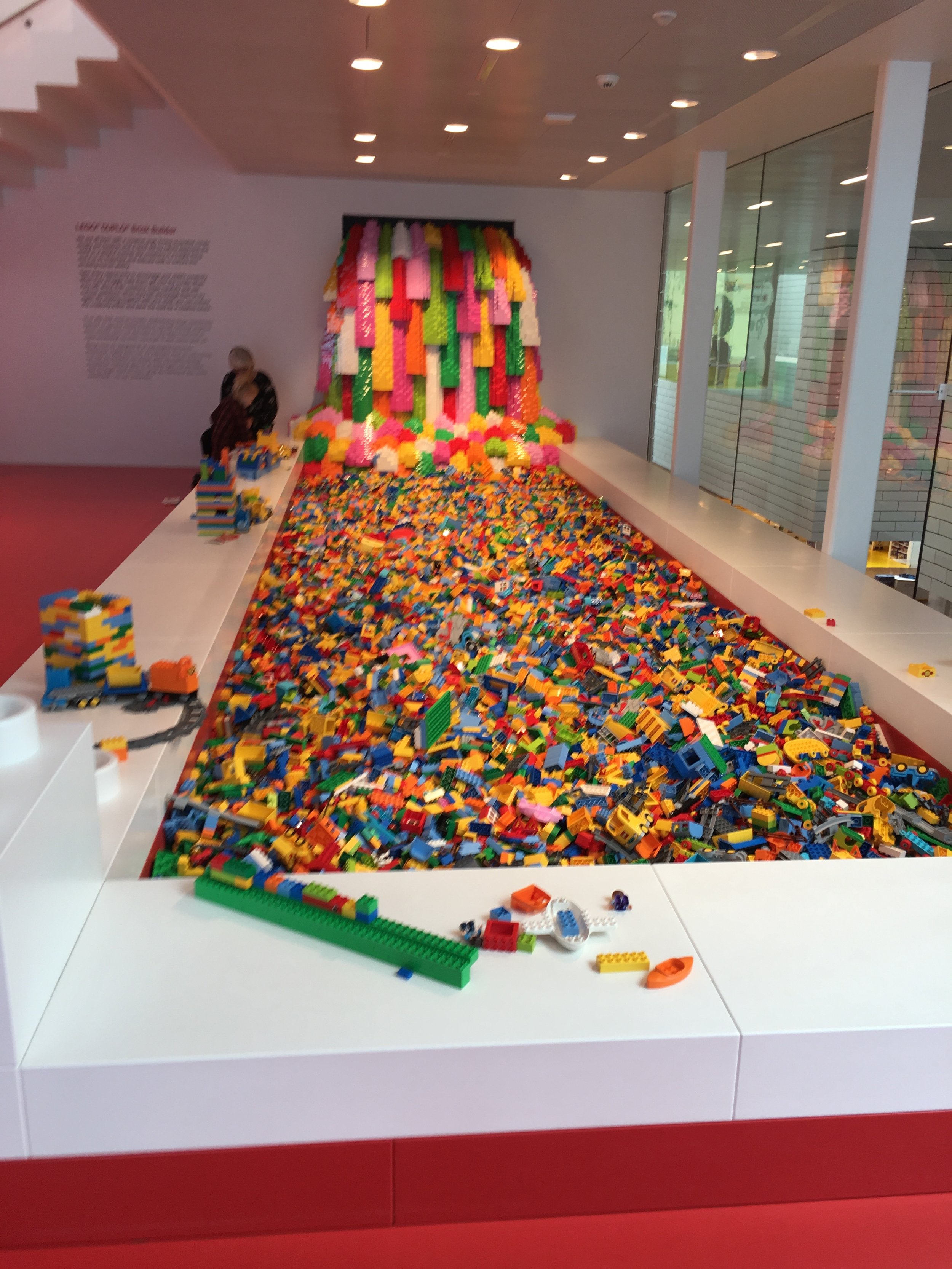
duplo_waterfall.j[g

The last section of the Red Zone is the Creative Lab. In looking at videos online, it looks like the LEGO® House changes what they do here often. Our visit was a large castle build. There were tables full of 2x4 bricks of all sorts of colors. You could pick a 16x16 or 16x32 base plate and then build a “brick” that was 10 bricks high out of bricks. It was just the outside, you didn’t have to fill in the entire base plate. My NLS built a 16x32 brick and my 5-year old built a 16x16 brick (with help). My almost 2-year old played with some DUPLO that the awesome LEGO® House worker brought over for him. We did not see the completed product, but by the end of the day it looked they they’d finish the next day.

A LEGO logo in the area.
A LEGO logo in the area.

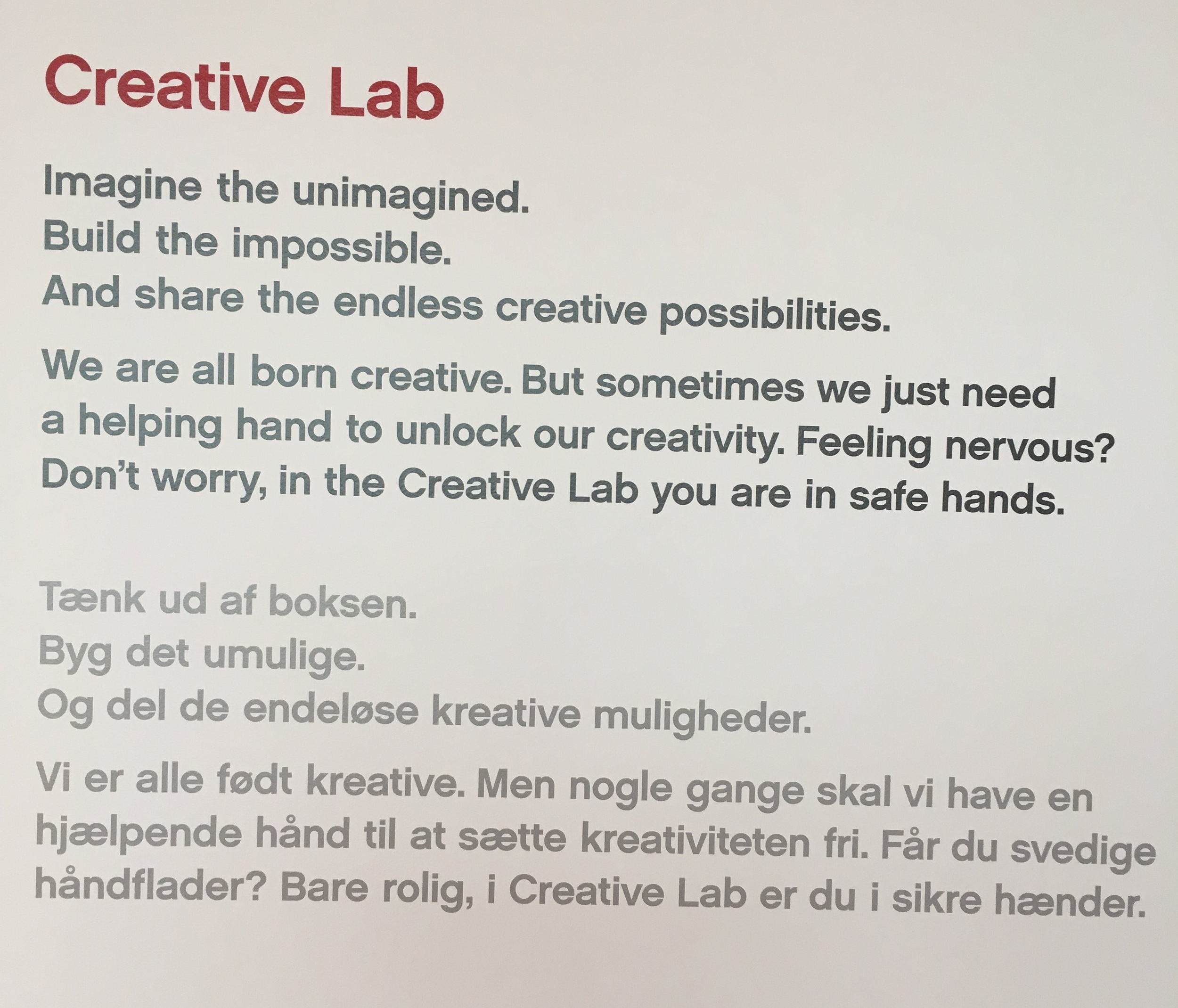
A description of the Creative Lab

A description of the Creative Lab

This is where the “castle” was at when we left.

This is where the “castle” was at when we left.

Sign for the Creative Lab

Sign for the Creative Lab

The LEGO® House worker building the castle. You can see a table with bricks to the right.

The LEGO® House worker building the castle. You can see a table with bricks to the right.

Here is the instruction booklet for the final product.

Here is the instruction booklet for the final product.

I still have more posts about the LEGO® House, but I wanted to include this part and wasn’t sure where to put it so it’ll go here.

As you leave the Experience Zones you pass a machine that makes 2x4 red bricks. You can watch the process in action (it was running one of the 2 days we were there). It spits out the new bricks, bags them, and shoots them out into a box. Then you scan your wrist band, it generates a card with your name, and a design for how to assemble the 6 bricks. The worker there told us the exact number… 900 million-ish if I recall correctly. And if you are wondering they have a DUPLO 6 Bricks bag too. My almost 2-year old got a DUPLO bag, but not the card with the build because he was free to enter the Experience Zones.

Brick building machine
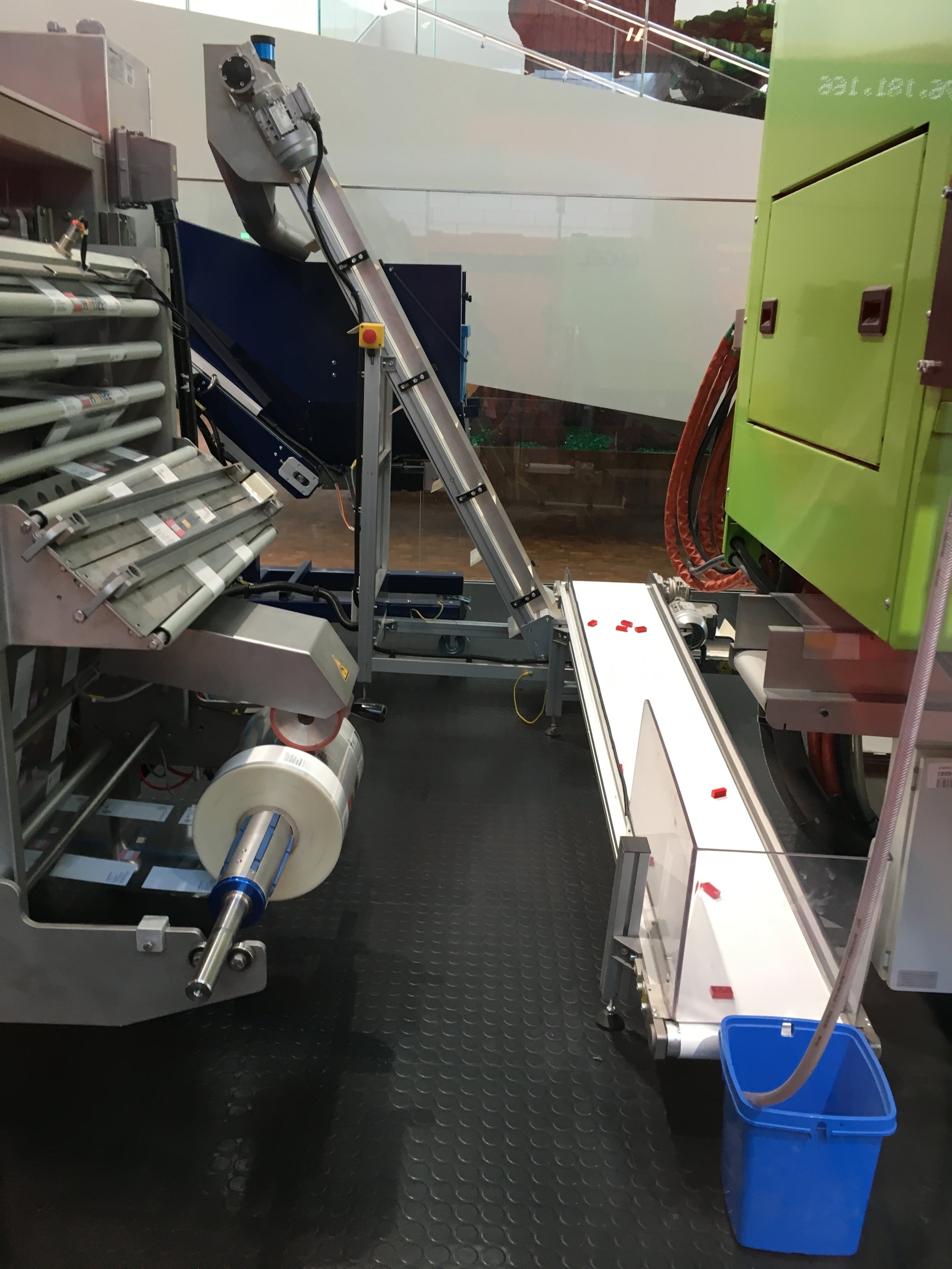
Brick building machine

The new bricks on a conveyor belt.

The new bricks on a conveyor belt.

This is where the final product came out.
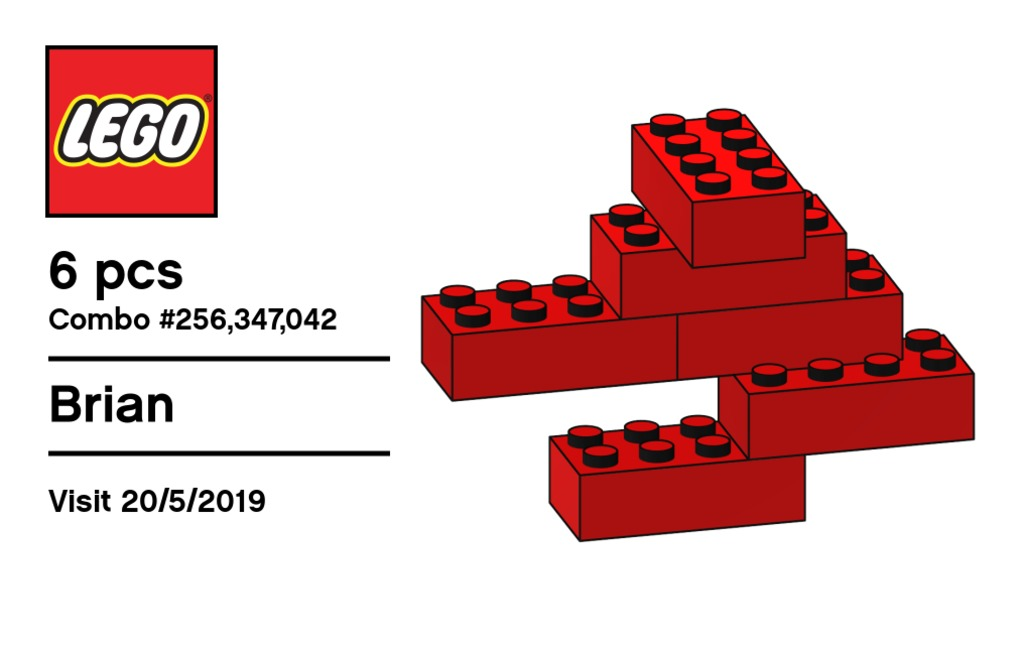
This is where the final product came out.

The card you get with your build and the combination number
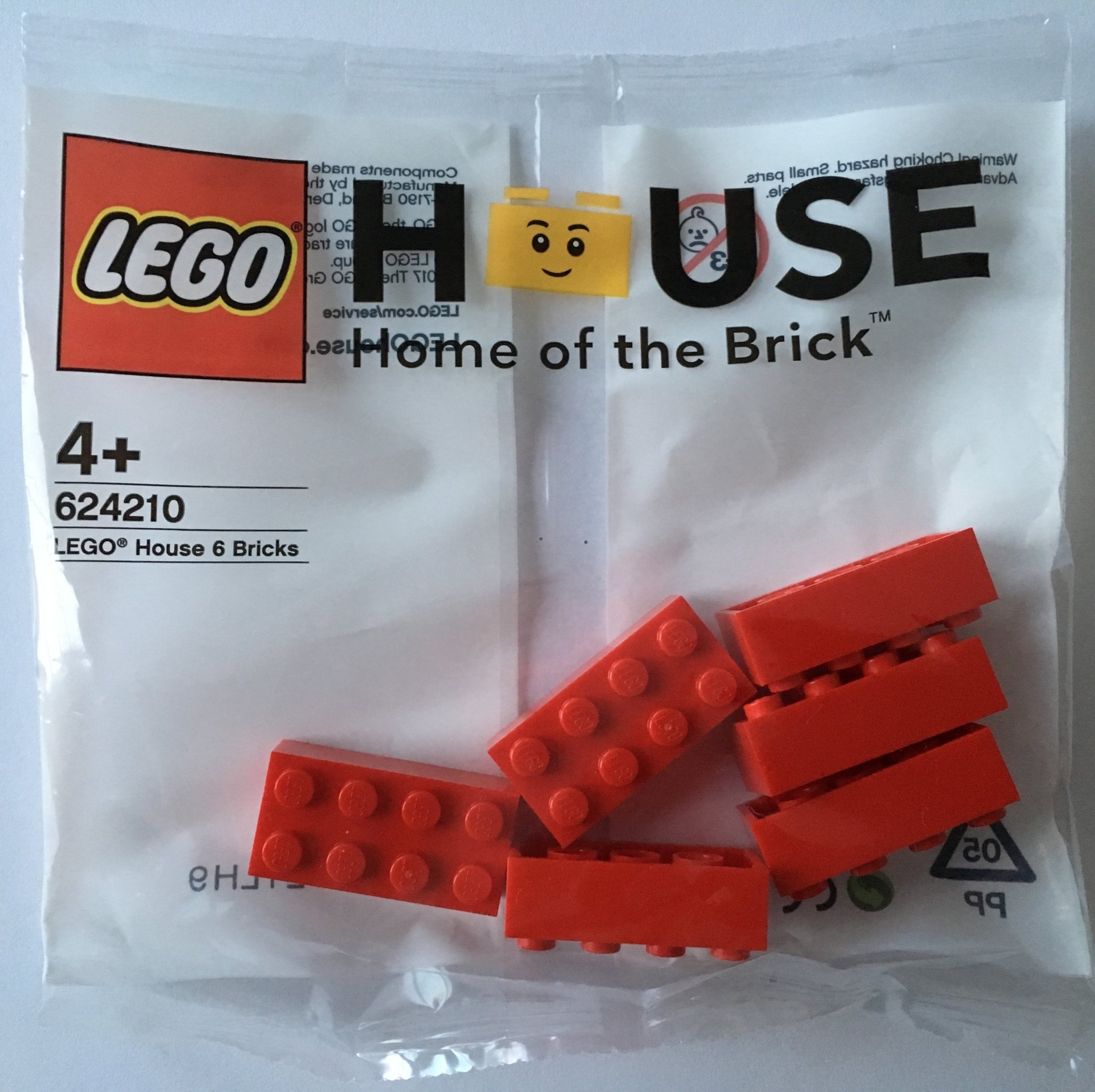
The card you get with your build and the combination number

Here is what you get. Set number 624210-1: LEGO® House 6 Bricks.

Here is what you get. Set number 624210-1: LEGO® House 6 Bricks.

Awesome! That’s my wrap up. As an AFOL, I had a blast in the experience zones. My kids had a blast too. And she even admitted it, my NLS had a great time too. It was definitely worth the time and expense to get there.

That wraps up the Experience Zones. A few more things left to cover. In the mean time, happy building!

The LEGO® House: Experience Zones (Part 1)

There are multiple ways to leave the Masterpiece Gallery and you can go into the different Experience Zones which are color coded (green, blue, red, and yellow). If you want a full up tour, there are plenty of videos on YouTube that show you everything. I will just go through the experiences my family and I had in each area.

So not in any particular order…

The green zone has a character creator section where you there are a number of bins of minifigure parts. Besides legs, torsos, craniums, and hats/hair, there are also a lot of accessories. There was everything from weapons to skate boards to foods. It actually made the task of building a minifigure rather daunting as there were so many options to choose from.

Once you build your minifigure, you can go over to the kiosk, scan your wrist band, and then it asks you to put your minifigure into the background. It takes a picture of it and then you can pick from a number of magazine backgrounds. My skiing, bread holding, mug holding minifigure with a green hat is on “MINI” magazine for being the “minifigure of the year.”

A few notes:
-You can take as many pictures at the kiosks as you want. I originally thought it was limited and if you took one, it would erase the last one. In actuality, it stores them all and then you can download them all through the LEGO House app after your visit. I think my 5-year old took around 8 pictures of minifigures.
-In the character creator area, they have a number of spots with various base plates set down. This allows you to create a whole bunch of minifigures and place them down. A few people made full armies of the same minifigure. Some just made random groups.

minifig.jpg
minifig_magazine.jpg

Also in the green zone is the Story Lab. This section allows you to make your own stop motion movie. There are about 20 stations or so and on the day I went, there was no line. If there is a line, don’t worry as they limit you to 20 minutes. I was told that if I needed more time they would give it to me since there wasn’t a line.

You watch a short video at the beginning that explains how it works and then you get to it. There are 3 cameras and you take pictures based on what part of the scene you are working. They also have a few special effects that you can throw in.

My 5-year old and I focused on using just one camera in the center of the scene. A tip for everyone… we had too much going on. We wanted to use all of the vehicles and people they gave us so it took too long to adjust everything. At the end of 20 minutes, we had only taken maybe 25 shots so our video was very short. I recommend focusing on moving just 1 or 2 things each frame. Still, it was a lot of fun. In the end, you get to see your video. They add an intro in, you get to select your title, and at the end your name(s) are in the credits. Since my kid and I both worked on it, the credits used me as the producer and my kid as the director and so on.

Your video is tied to your wristband. The worker scans your wristband with a phone to log you in and the video gets saved for downloading later. So don’t worry, you can keep it forever!

stop_motion.jpg

Next in the green zone is the World Explorer section. For this section, the kiosk is tied to a bunch of small cameras set up inside of some giant brick built displays. You can rotate the camera and it puts you (a minifigure you) in the scene wherever you take the picture. Then you get a scrap book of all of the pictures you took.

I only did the scrap book thing once as I spent most of my time just looking at the scenes. They are packed with detail, creativity, and humor. If you look closely, you can see a lot of fun things that designers did. Every few minutes, the scene changes to night time and it lights up. Then it switches back to daytime and the lights go off.

A giant ship yard at night

A giant ship yard at night

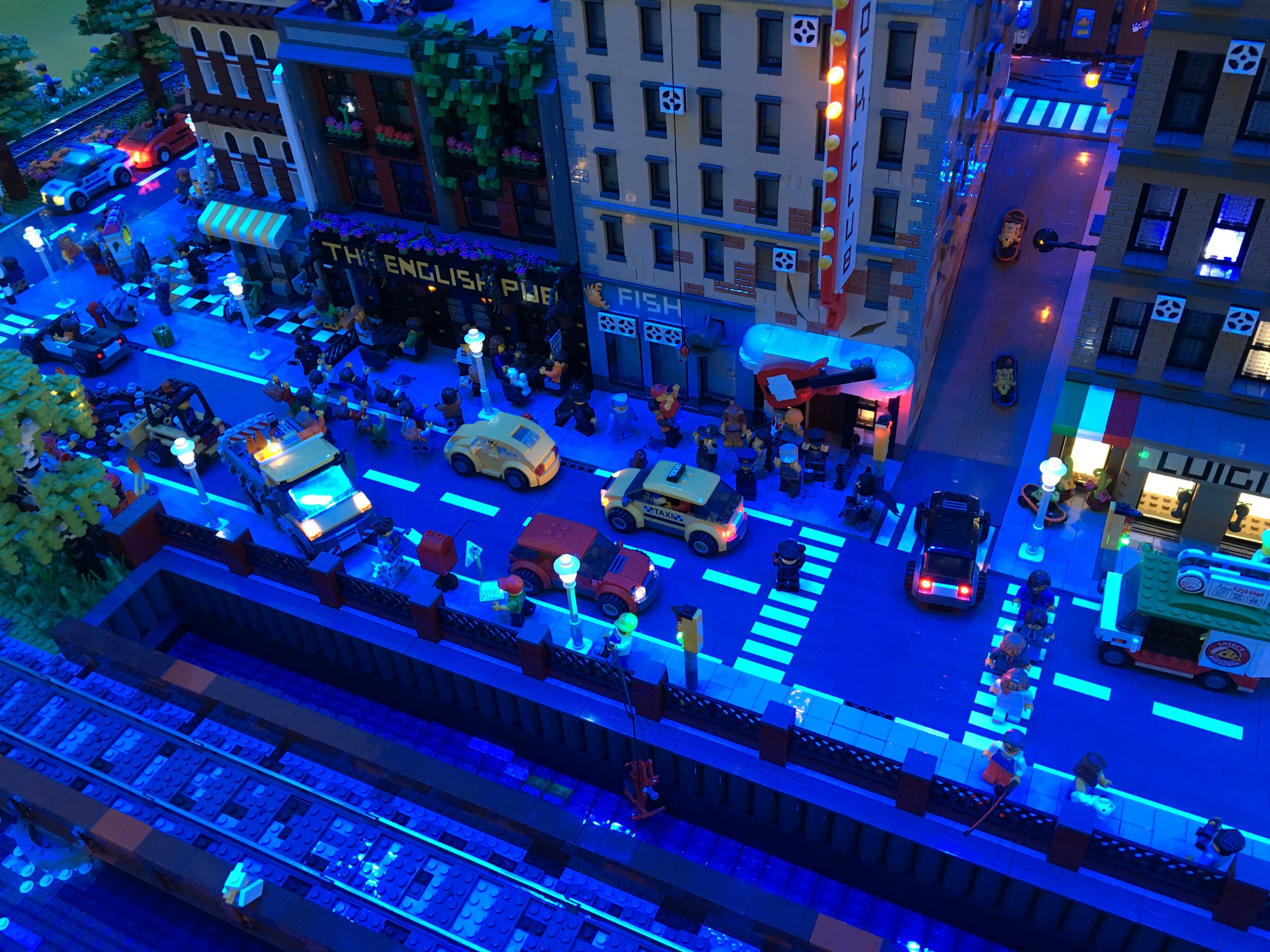
In the center of the shot is a cinema. I like the Octan logo on the building to the top left. It’s also pretty cool how all of the cars have lights that light up to include even the smallest ones.

In the center of the shot is a cinema. I like the Octan logo on the building to the top left. It’s also pretty cool how all of the cars have lights that light up to include even the smallest ones.

Another part of the CITY.

Another part of the CITY.

The billboard says “got bricks?”

The billboard says “got bricks?”

The city again at night

The city again at night

The city in the daytime.

The city in the daytime.

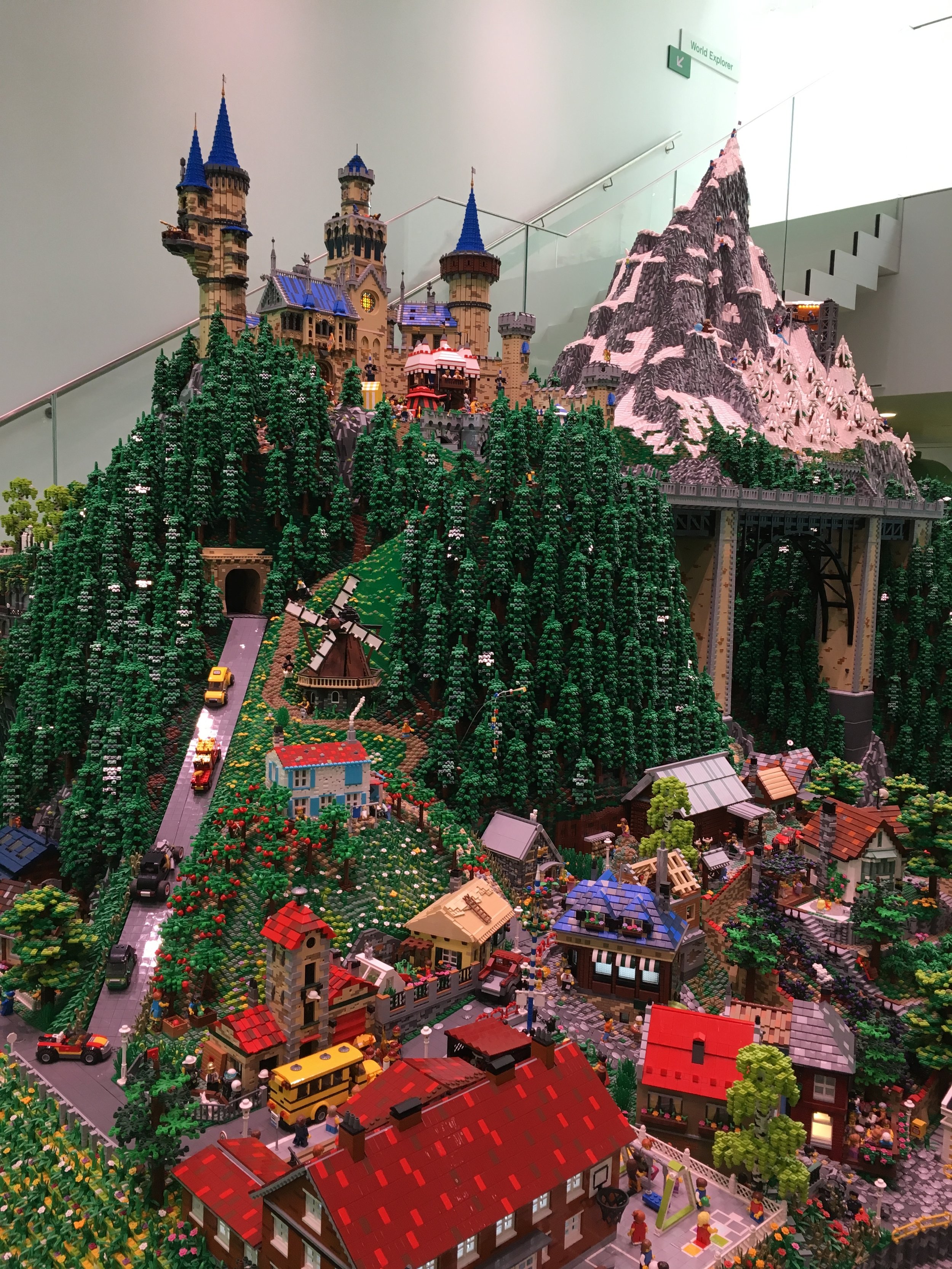
Mountain scene with a castle on top.

Mountain scene with a castle on top.

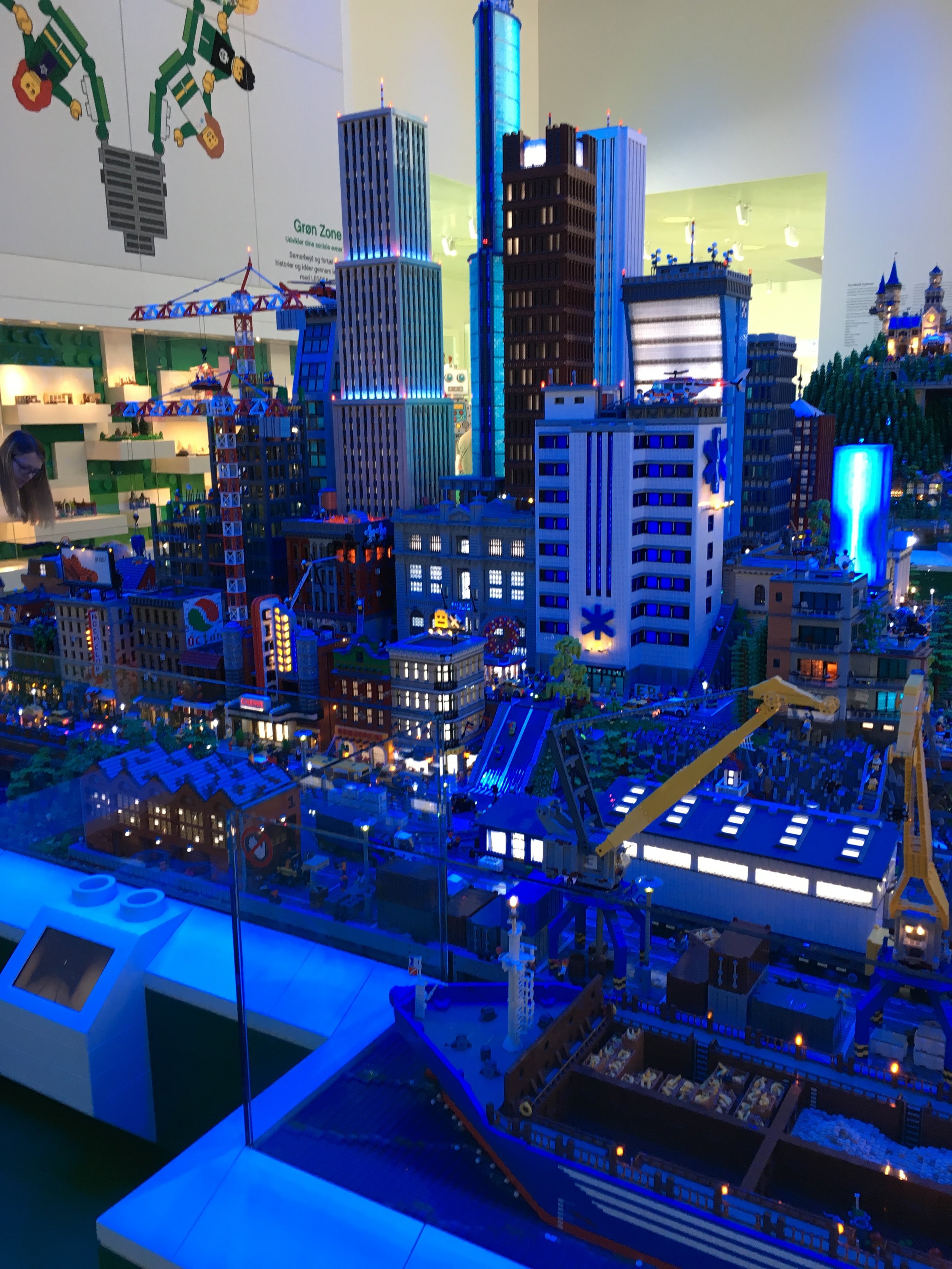
The city area with some skyscrapers.

The city area with some skyscrapers.

There is a screen with a view from the front of a train going through the city. The odd part was that the train wasn’t even running so it’s obviously pre-recorded.

There is a screen with a view from the front of a train going through the city. The odd part was that the train wasn’t even running so it’s obviously pre-recorded.

The English Pub. You’ll notice the minifigure coming out of the pub has a LEGO logo on it. If you watch the video by “What’s Inside,” they interview Stuart Harris who at the time was the Senior Experience Designer at the LEGO® House. He points out h…

The English Pub. You’ll notice the minifigure coming out of the pub has a LEGO logo on it. If you watch the video by “What’s Inside,” they interview Stuart Harris who at the time was the Senior Experience Designer at the LEGO® House. He points out his minifigure and we learn that if you work at LEGO, your calling card is your own personalized minifigure. We found another 2-3 of these minifigures throughout the display to include one that was bungee jumping.

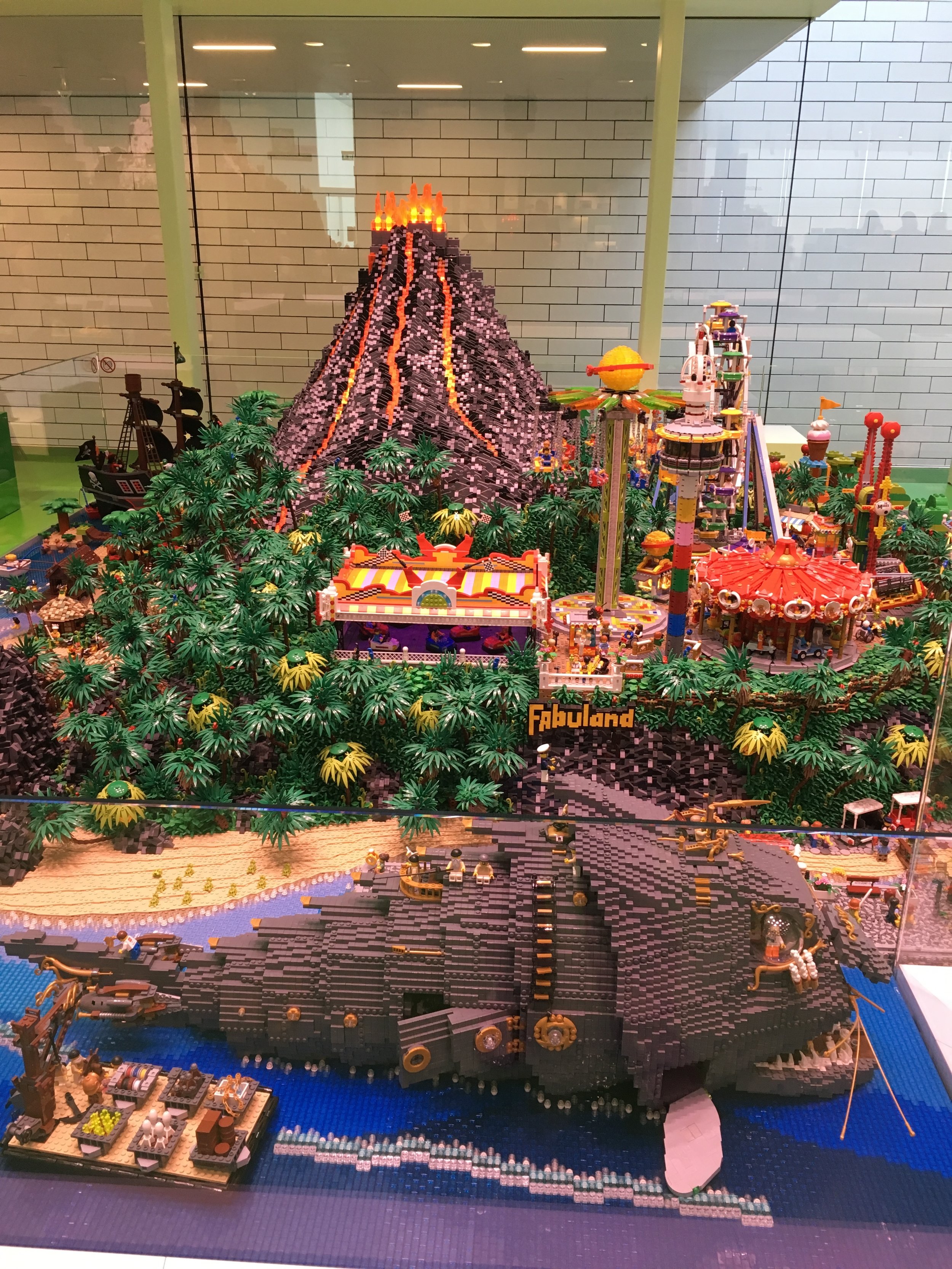
The beach, forest, volcano, amusement park scene.

The beach, forest, volcano, amusement park scene.

A better shot of the volcano and Fabuland park with a giant fish that the minifigures can explore.

A better shot of the volcano and Fabuland park with a giant fish that the minifigures can explore.

Throughout the LEGO® House, there are numerous display cases with various MOCs inside. Most have signs next to them (like these) that say who built it and where they are from. Some are just items built in one of the Experience Zones that were left and someone at the LEGO® House decided to display them.

Here are a few pictures of fan models. They are covered in glass so I apologize for the reflections you see.

Some small scenes with minifigures

Some small scenes with minifigures

A brick built LEGO museum

A brick built LEGO museum

A brick built ad for “The LEGO Movie”

A brick built ad for “The LEGO Movie”

Onto the yellow zone… first up was the critter creator. You can build some sort of creature to live in the brick vegetation. There is also section (that I didn’t take a picture of) where you can build creatures and they go on a table. Every few minutes the table lights up, music plays, and it vibrates. The workers said the game is to start your figure on the outside and see if you can race someone else to the center of the table. My 5-year old just enjoyed dancing to the music and we have a video of one of the workers dancing along. You can also race your creatures down a slope with these snake things that move. We didn’t have as much luck with this section.

Here is my critter

Here is my critter

A view looking back… you can see the slope where you can race critters down past the snake things and a build area.

A view looking back… you can see the slope where you can race critters down past the snake things and a build area.

Here is the picture I took of my critter at the kiosk

Here is the picture I took of my critter at the kiosk

Next in the yellow zone is a Flower Artist section. This section was made up of various yellow pieces to make flowers. They have most of the stems pre-made and then you just create what you want. It was interesting to see what people came up with based on the bricks available. I pictured my flower below. If you go to the LEGO® House website, you’ll see that they are building with colored bricks so they must switch out the bricks after a while so you can build different types of flowers.

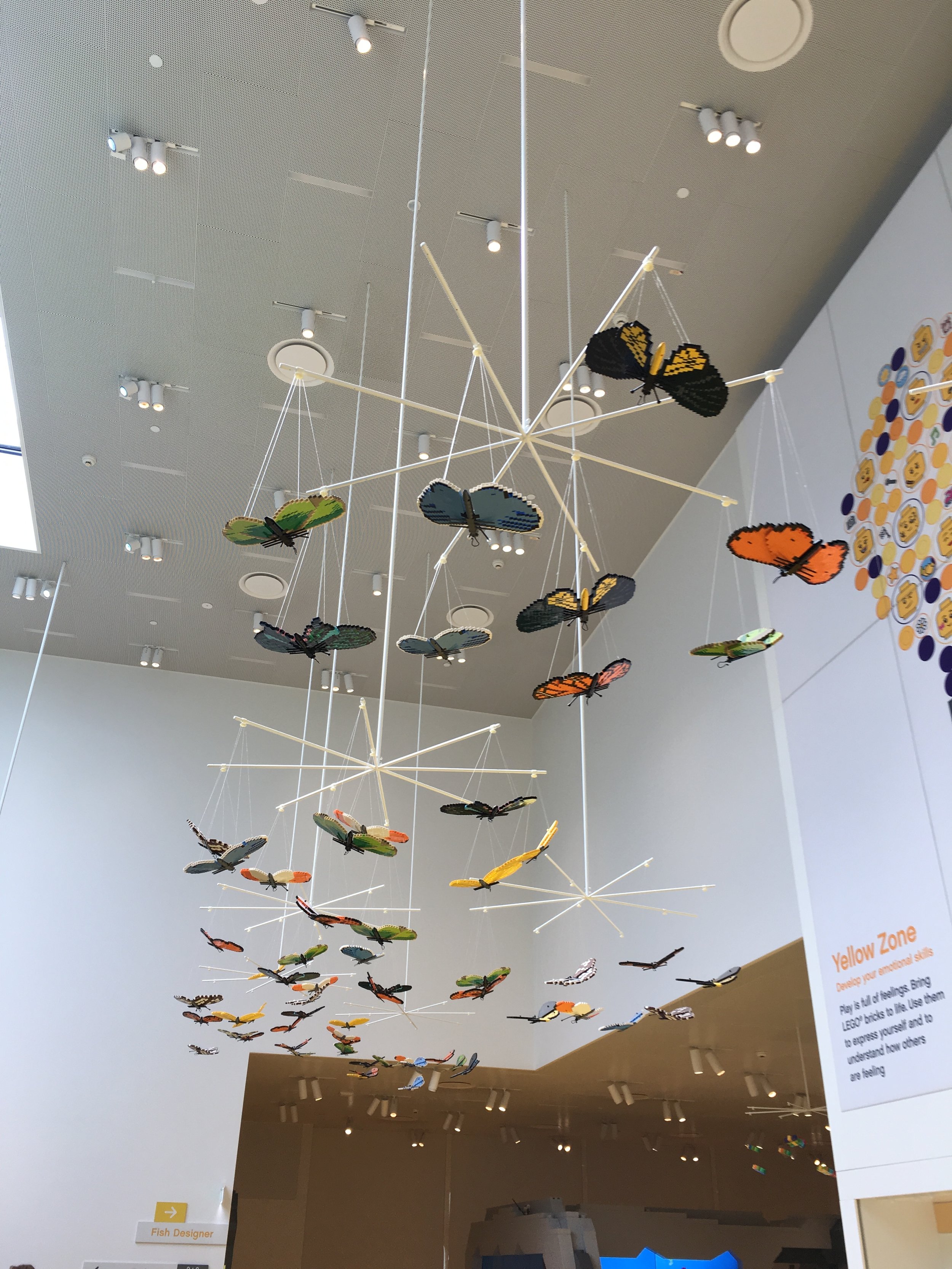
Also, be sure to look up while you are there as they are some brick built butterflies flying overhead while you build the flowers.

butterflies.jpg
flower.jpg

Next in the Yellow Zone is the Fish Designer. You build a sea creature out of bricks that fits in a specified space, you scan it in, you pick out digital eyes and a mouth, and then on the screen, you watch your fish swim through a pipe into a big fish tank. My 5-year old enjoyed this section the best. We may have around 30 pictures of various sea creatures from my kid.

My fish on the screen swimming through the tank.

My fish on the screen swimming through the tank.

One of the many my 5-year old built. This one is an eel.

One of the many my 5-year old built. This one is an eel.

My fish from the picture the kiosk gives you. The scan didn’t catch all of the angles very well so my tail shows just as a 1x1 brick versus a slope.

My fish from the picture the kiosk gives you. The scan didn’t catch all of the angles very well so my tail shows just as a 1x1 brick versus a slope.

One thing I did not capture is the DUPLO® contributions. In going to the LEGO® House, we were concerned that my 2-year old would not have much to do. We figured that my NSL or I would have to hang with the younger kiddo while the other one went around with the older one. We were proven wrong. It seemed like every zone had a DUPLO® play area. The yellow zone had the LEGO® DUPLO® Mood Builder section. They had some stop motion videos playing of Simon the Snail and a few other creatures and they change their emotions based on what happened. Then in a giant pile, you could build your own creature with various faces/emotions. Most importantly, the younger kiddo could play while the older kiddo played. This worked out great! I have some pictures of the other DUPLO® sections that I will post in part 2.

My wrap up for this first post… what a great experience! The activities were great for kids, but even as an adult I enjoyed them. I do wish I had more time to look at all of the fan-built MOCs throughout the Experience Zones, but kiddos don’t want to do that when there are all sorts of fun activities to do. I’ll post more on the Experience Zones soon. In the meantime, happy building!

Entering the LEGO® House: The Masterpiece Gallery

Okay, so you’ve got your wrist band, you’ve checked out the LEGO® Square and you’re ready to go in and build all day. You swipe your wrist band, the gate opens, and you’re in. Now what?

Some administrative things that weren’t obvious to me before going.
-You can go in and out all day long. Don’t feel like once you’re in, you have to do everything and can’t leave. You can leave whenever to go have lunch or whatever and then come back in. We weren’t sure you could do that, but it makes sense since they want you to eat at their restaurants.
-While everyone has seen the videos of the stairs with the Tree of Creativity, there is an elevator you can take too. This is good for folks with kids in strollers. My almost 2-year old walked or was carried for most of the time. While it’s a lot of walking, it got broken up with a lot of playing.

On the first day we took the steps to check out the Tree of Creativity first. The base of the tree is full of green bricks. You can build with them if you want, but most people are too busy checking out the tree to build. The tree is supposed to represent the growth of the LEGO Group with some of the early wooden models engraved in the trunk. Ole Kirk Christiansen’s initials are in there too.

As you go up the tree, you pass the branches. The branches have some of the themes that LEGO has produced through the years. They have CITY, Castle, space, elves, and a few others.

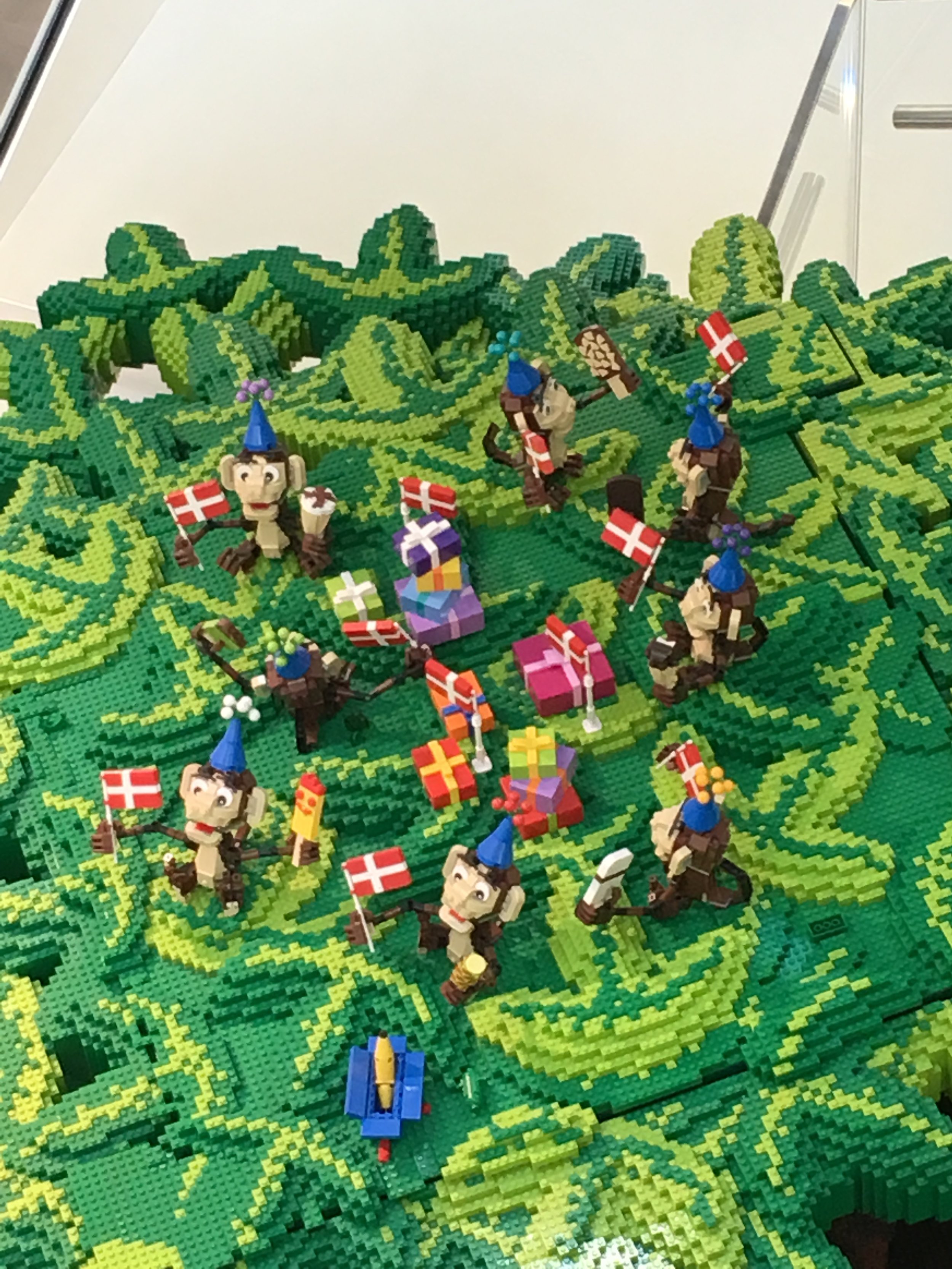
During my visit, they had a number of monkeys from the Creator set #31019-1 Forest Friends. One of the branches had just the monkeys with Danish flags. They were also spread out around the branches to include a monkey directing traffic in the CITY scene and one dressed up as a knight in the Castle scene.

The top of the tree has a crane on it. The crane is building new sections of the tree to show that LEGO will continually be growing new branches. I didn’t get a picture of the crane… sorry…

The giant trunk of the tree with one of the original wooden toys carved in and the initials OKC for Ole Kirk Christiansen.

The giant trunk of the tree with one of the original wooden toys carved in and the initials OKC for Ole Kirk Christiansen.

Another view looking up at the tree.

Another view looking up at the tree.

A view of the bottom. You can see how the leaves and branches are constructed with bricks.

A view of the bottom. You can see how the leaves and branches are constructed with bricks.

A view looking up at the tree.

A view looking up at the tree.

Another “carving” in the tree. This one is of the original wooden duck toy.

Another “carving” in the tree. This one is of the original wooden duck toy.

Here are a few pictures of the scenes. They are pretty creative if you look closely. They also include some of the historic sets like #6399-1: Airport Shuttle.

Danish monkeys…

Danish monkeys…

Space

Space

Some CITY scenes…

Some CITY scenes…

Castle

Castle

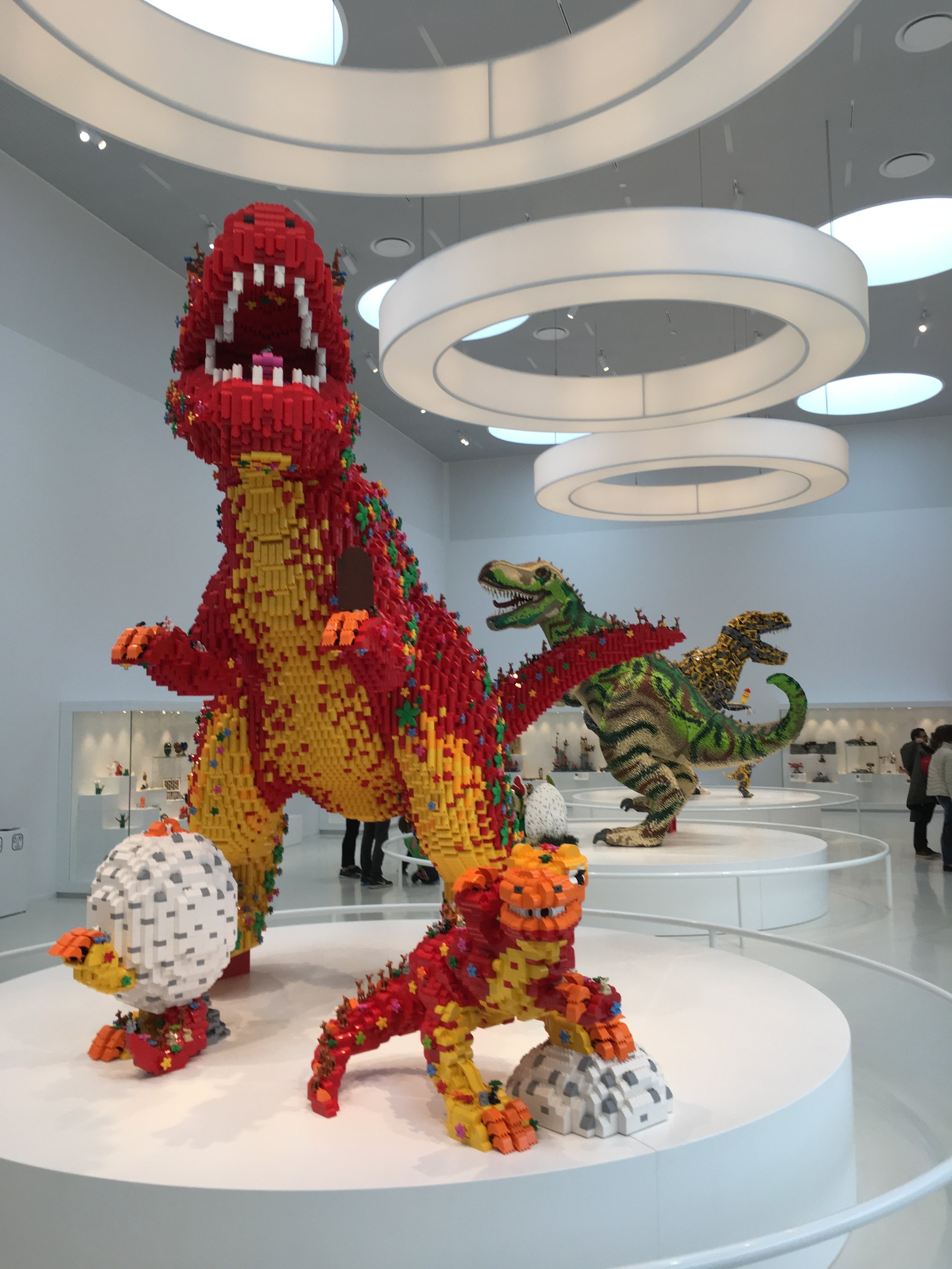
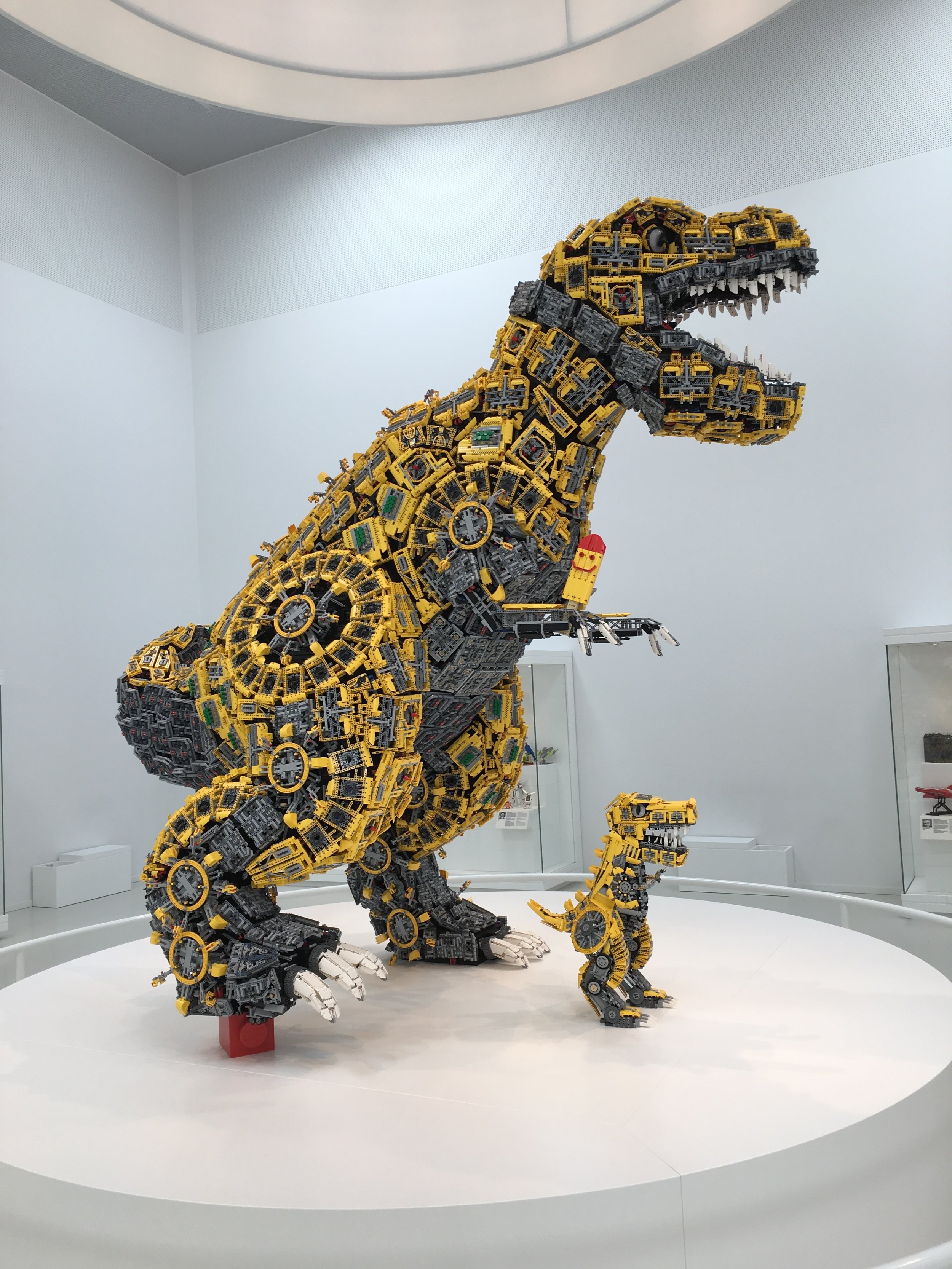
The Masterpiece Gallery greets you after you walk up the stairs around the Tree of Creativity. The infamous dinosaurs are the big models there. There are around 6.8 million pieces in total in the Duplo, System, and Technic dinosaurs. The best part about these dinosaurs is that the build evolves. Initially it was the 3 dinos with eggs. Well the eggs have hatched and there are some baby dinosaurs walking around. Also we found it pretty fun that each of the larger dinosaurs had a popsicle in its hand.

dinos.jpg

Here are some closer shots of the 3. My favorite is the System baby dinosaur eating the ribeye steak.

Duplos

Duplos

The Technic dinosaur

The Technic dinosaur

System bricks…

System bricks…

A close up of the baby dino made of System bricks and eating a steak of some sort.

A close up of the baby dino made of System bricks and eating a steak of some sort.

The Masterpiece Gallery is made up of other displays around the room. Each display contains MOCs made up of fans from around the world. Next to the builds are a picture of the builder with their name, where they are from, and then what their first set was, what their favorite set was, and what they are working on now. Each sign is in English and Danish.

An ocean scene

An ocean scene

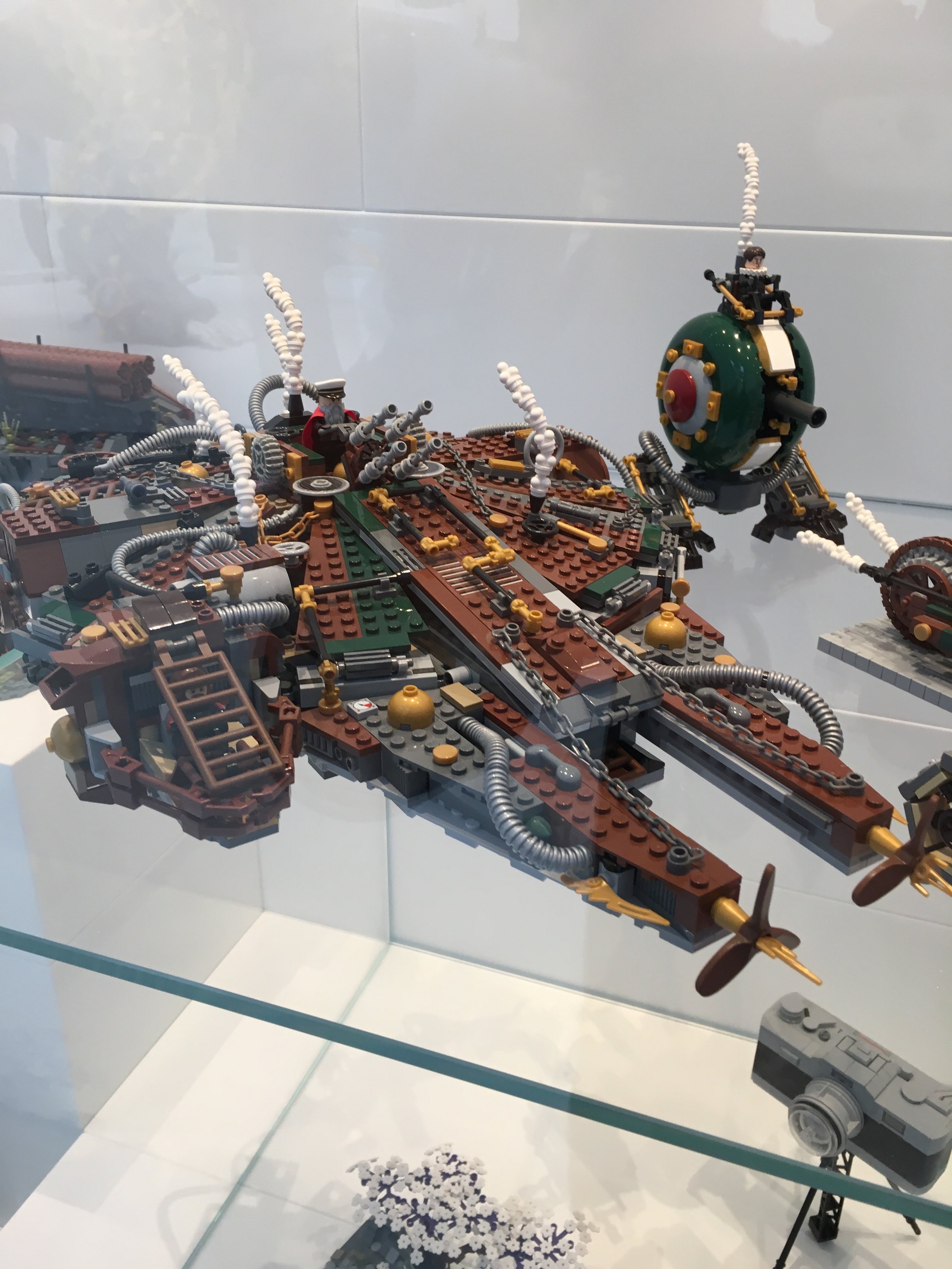
Steampunk version of the Millennium Falcon.

Steampunk version of the Millennium Falcon.

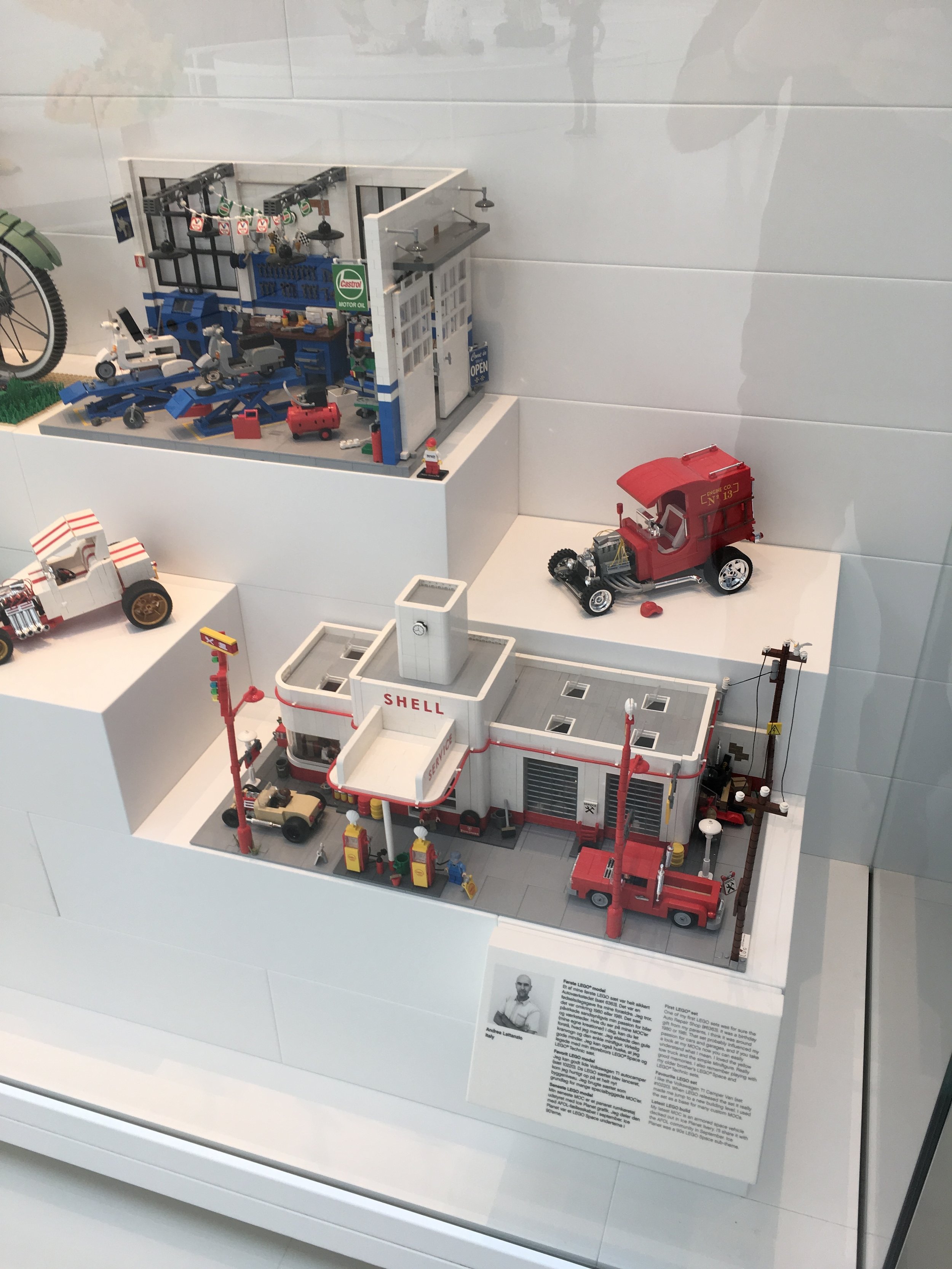
Some old vehicles and a gas station.

Some old vehicles and a gas station.

Some old fashioned bicycles and a few others…

Some old fashioned bicycles and a few others…

A few more…

A few more…

Bruce Lowell from the USA.

Bruce Lowell from the USA.

Some ships in actual bottle. When I originally looked I thought it was the bottle from the Ideas set until I realized they were actual bottles.

Some ships in actual bottle. When I originally looked I thought it was the bottle from the Ideas set until I realized they were actual bottles.

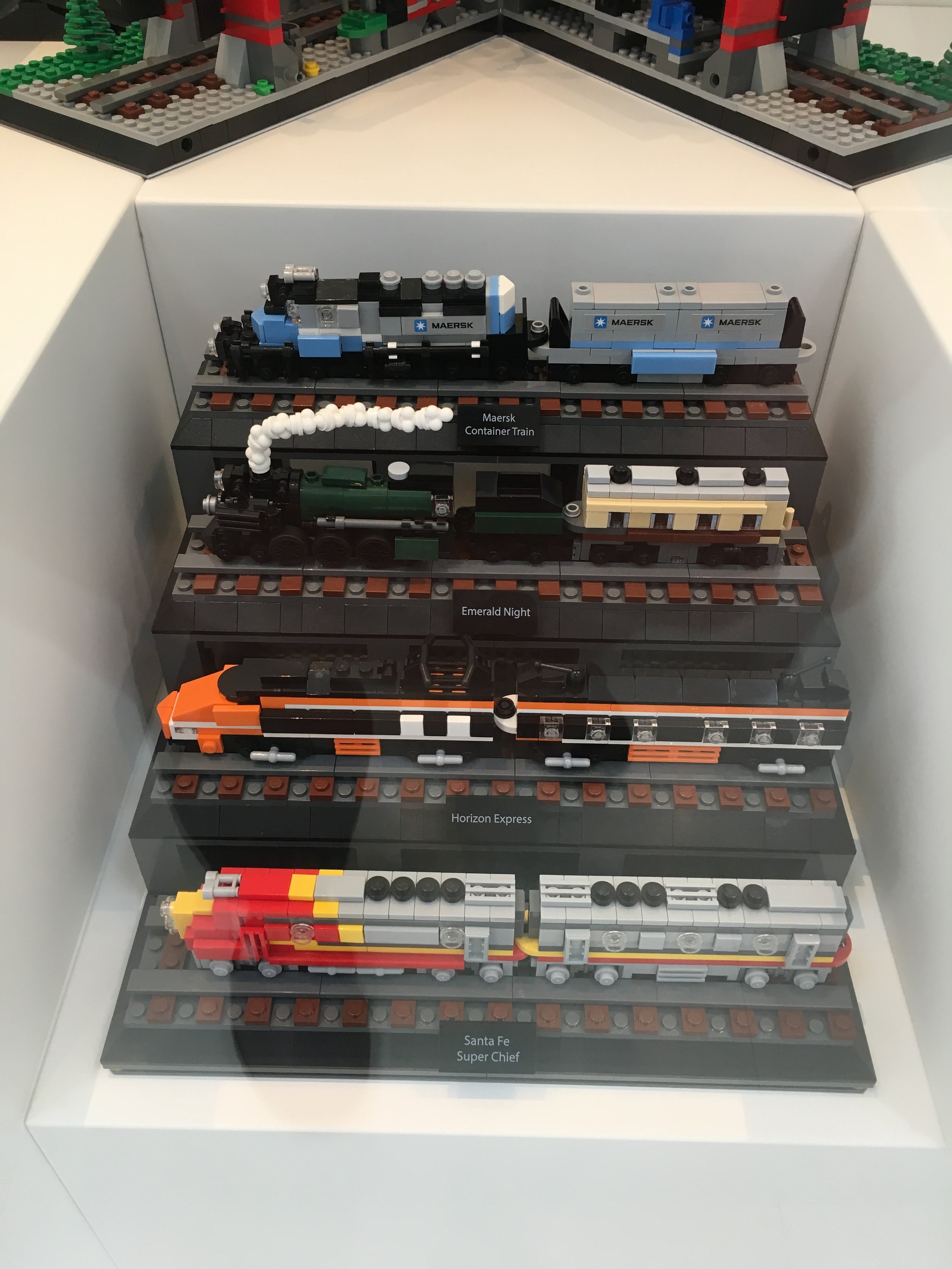
Miniature versions of some of the brick trains.

Miniature versions of some of the brick trains.

A whole bunch of stuff… a red stapler, Mr. Potato Head, an Oscar Meyer Wiener mobile, some kids toys in bricks, and a few others.

A whole bunch of stuff… a red stapler, Mr. Potato Head, an Oscar Meyer Wiener mobile, some kids toys in bricks, and a few others.

Chung-Po Cheng ”Paul Cheng” Taiwan

Chung-Po Cheng
”Paul Cheng”
Taiwan

A closer view of the gas station.

A closer view of the gas station.

Some Christmas themed builds and some architecture builds.

Some Christmas themed builds and some architecture builds.

A whole bunch of different builds.

A whole bunch of different builds.

So there you go… I’ll go into the rest of the experience zones over the next few posts. In the meantime, happy building!

LEGO® House: LEGO® Square

As you enter into the LEGO® House, your first stop is the LEGO® Square. This area is free to enter into and there are a number of things going on. I entered by the door that is right by the LEGO® Brand Store there. In front of the store is a display where you put your hand down on a sensor and it tells you what minifigure you are like. In reality, it just randomly generates a minifigure picture as my 5-year old tried it multiple times and was always something different.

One of the first things you see is a directional sign telling you where everything is in the square. The signs look like large brick tiles. At the bottom of the sign, a brick-built dog does its business.

directions.jpg

Right by the information desk is a brick model of the LEGO® House itself. It is pretty detailed and while I didn’t get to read everything on it as I had 2 kiddos who wanted to see everything, it does look like it is to scale.

lego_house_model1.jpg
lego_house4.jpg

At the far end from the LEGO® Brand Store is a mosaic on the wall. I assume this is the Christiansen line of company leaders. If you look at it from the other angle it says in Danish “DET BEDSTE ER IKKE FOR GODT” or “only the best is the best” in English. “The best is never too good” is apparently the direct translation.

This mosaic is by some tables which are set up for people to eat at. While I have been to many places in the US where bringing your own food is not acceptable (they want you to buy food there), Denmark as a whole was very accepting of bringing your own lunch. My family visited the LEGO® House 2 days in a row. On the first day, we hit the Mini Chef restaurant because… well we had to. I’ll review that experience later, but let’s just say it is a bit pricey. So for day 2 we stopped at a grocery store near by, grabbed some makings for sandwiches and had much cheaper sandwiches by the mosaic for lunch. It worked out a lot better for our wallets and you could still watch everything nearby.

mosaic1.jpg
mosaic2.jpg

How did they make the mosaic that has 2 images? If you look up close, you can see it is all made of 1x1 cheese slopes. There is no sign nearby that says how many they used, but it is definitely cool how they did it. Makes me want to try it, but probably on a smaller scale.

mosaic3.jpg

Near the mosaic is a koi pond made from bricks. I didn’t get a picture of it, but above the pond are real plants that hang down and on those plants are brick butterflies. The Square as a whole had a lot of real plants with various brick built plants and animals mixed in.

pond.jpg

The full scale Bugatti Chiron will be at the LEGO® House in the Square through 10 June 2019 (so not much longer). It was pretty cool to see. While you can’t get up close to touch it, you still get a pretty good view.

You can see my set review of #42083-1 here and some pictures of an actual car and the factory I saw in France here.

The display had a touch screen attached where you could control the functions of the car to include all of the lights and then a sound system that made it sound like the car was really powering up its engine. Lots of onlookers took pictures of it and it always seemed to be a popular place to hang out.

bugatti1.jpg
bugatti_wheel.jpg
bugatti2.jpg
bugatti3.jpg

Nearby the car were some smaller cases. I took 2 pictures. The first is of the engine parts that they built to actually power the car. The second is of the Technic parts they used to built it and a few of the assembled patterns. They also had a case with the side mirror design inside and then a case with a lot of #42083-1 wheels. The wheel case was a contest where if you guessed the right number of wheels, you could win a #42083-1 set for free. My NLS, my 5-year old, and I all guessed. We’ll see if any of us were close.

motor.jpg
bugatti_parts.jpg

Overall, the LEGO® Square is a great welcoming space. There are still a number of things to do and its a great place to hang out. My NLS pointed out that if she worked in the area in Billund, it would be a great place to bring a lunch and hang out to get away from work.

As a Dad with little kids, the plight of bathrooms is real. Are they clean? And in Europe especially, is there one I can use? The LEGO® House bathrooms all seemed pretty clean to me. There were a number throughout the building to include in the Square area. The ones in the Square were the biggest with stations to change diapers, stalls with kid sized toilets, and a line of sinks at a little kid level. Gold star to the LEGO® House for realizing kids would be there and you need good bathrooms for those kids.

Right by the bathrooms are a bunch of lockers. The lockers are free to use if you purchased a ticket. You swipe your entrance wrist band by the locker and it locks it. When you want to open it, just swipe your wrist band again. We put our lunch cooler in there and a few coats which worked out great.

You can buy your tickets to the Experience Zones at the information desk in the Square or you can save money and buy them online ahead of time. If you buy online, you can print or use your phone to scan a code at a machine in the Square. It will disperse your entrance wrist band right there. If you have trouble, there were a number of employees in the vicinity who were very helpful. On the first day, an employee saw us fighting with the sticky part and he came over and helped to install the bands on us and our kids.

Overall, the employees there were great. They were very helpful, gave tips to my 5-year old on some of the building challenges, and were very friendly. On the first day, there was one who had one of the Technic cars that has a pull back function. It seemed like every time we walked through the square, he launched it to my kids. On the first day at the end of our visit, my kids were overtired and didn’t want to leave so it was a little rough trying to get them out the door. Then from about 50 feet away, the Technic car goes right by my 5-year old and both kids stopped being upset and wanted to play again. Just enough distraction to get us out the door (Thank you!).

Not sure if I got any pictures of them, but in the Square, they also had some of the larger rubberized bricks to play with. My almost 2-year old enjoys those and it worked out good. My 5-year old wanted to make some custom minifigures to buy in the Brand Store so while that happened, my almost 2-year old and I built with the large bricks.

In the Square there are also some brick built sculptures of the LEGO® family. I failed to get a picture of them, but I believe my NLS has one. I will add it to the post later.

Finally, the Square is your entry point into the Experience Zones and you can see the bottom of the Tree of Creativity from the Square. We’ll get into the Experience Zones next.

Happy building!

Store Review - LEGO® Brand Store - The LEGO® House - Billund, Denmark

If you park at the parking garage and walk to the LEGO® House, the entrance you will take is by the yellow steps outside. Underneath those steps is the LEGO® Brand Store inside. It’s like every other brand store in that there are a lot of sets and pick-a-brick. There are a few differences, but before we get into them the top of the store has a brick built background with minifigures and other characters built out of brick. They are depicting various scenes and some minifigures that have appeared in the past. The Shakespeare minifigure appeared in the first LEGO® Movie. The female minifigure next to the deer looks very similar to the girl found in series 10 of the collectible minifigures (without the shades).

store_creation1.jpg
store_creation2.jpg

Another picture of the creation above and then underneath the entrance to the store you can see a history of all of the logos. I did a poor job fitting them all in so you can’t see the first or last one, but you get the idea.

store_creation3.jpg
logos.jpg

This store has a Mosaic Maker. I failed to spend a lot of time reading everything or to see the price. Online, it is advertised as being $129.99 for a 15”x15”, 5 color mosaic with 4,500 pieces. I didn’t see anyone use this while I was there and if you go to LEGO’s website, Billund doesn’t show up when you go to book online.

mosaic1.jpg
mosaic2.jpg

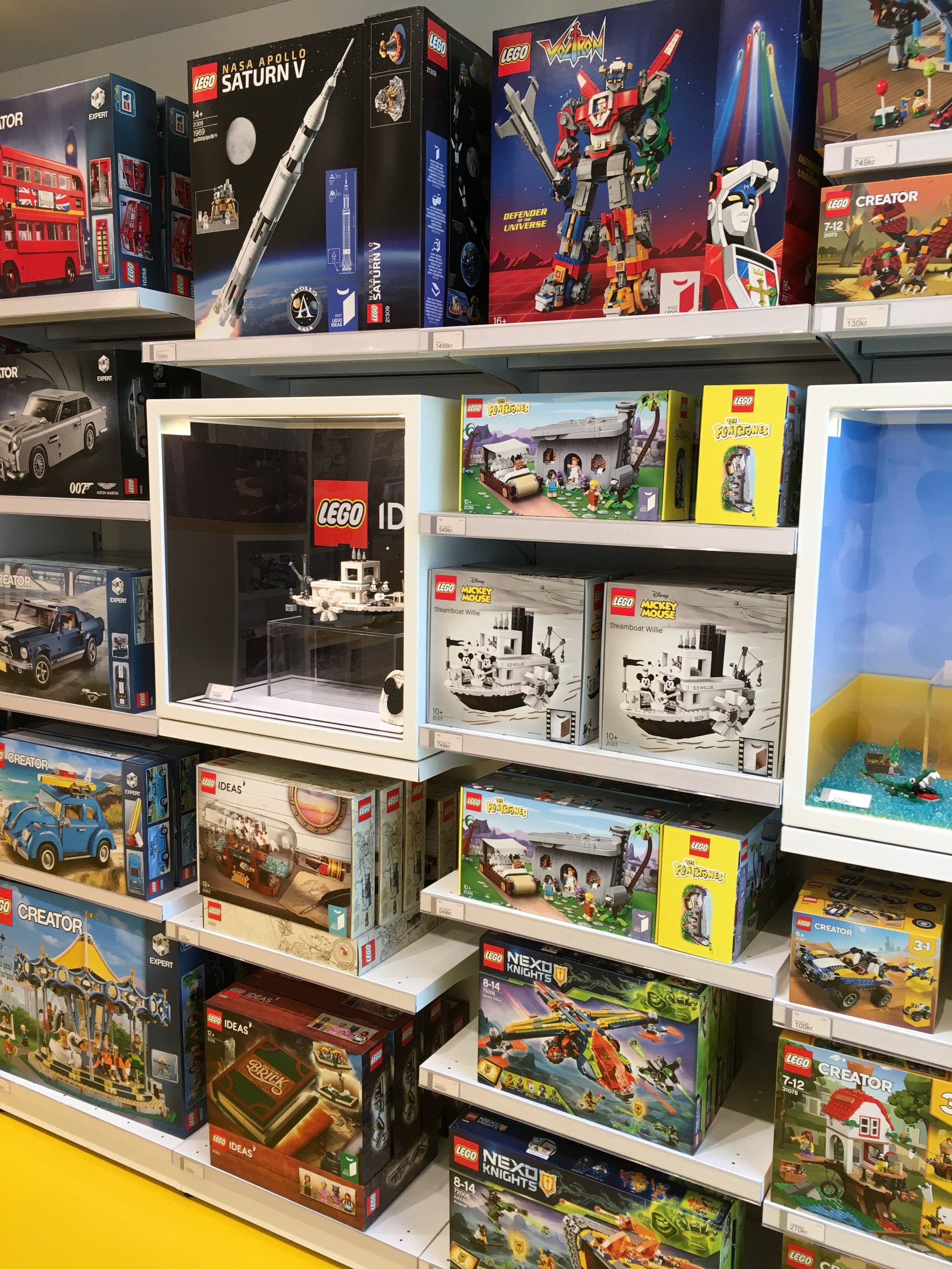
The store was pretty well stocked. I didn’t go around and get pictures of everything, but the recent Ideas sets were there and the Creator Expert line was well stocked too. There wasn’t too much out of the ordinary although I did catch a few LEGO® Education sets which I don’t normally see in the brand stores.

shelves1.jpg
shelves2.jpg

The store had a this build in it. The label says that it is a fan build not available for sale at the store, but it doesn’t say who made it or if it depicts anything specific. You’ll notice some pick-a-brick containers by the fan build. Unlike most stores that have a wall, this one has them spread out. I think it is because the back wall is actually the yellow steps on the front of the building. I did not get a pick-a-brick bucket, but a skim through showed some decent parts available. They had the newer plant piece available in stock which I would have added to my bucket.

Also they had a large scale Garmadon figure in the store. They weren’t highlighting anything specific about Ninjago and this minifigure is not in front of the Ninjago sets, but it’s always fun to see what sorts of things they build. In the background you can see a large 2x4 red brick. Other than those, that was it for decorations outside of the ordinary. To be fair, if you wanted to see more awesome builds, just go another 100 feet or so into the LEGO® House.

IMG_8104.JPG
garmadon.JPG

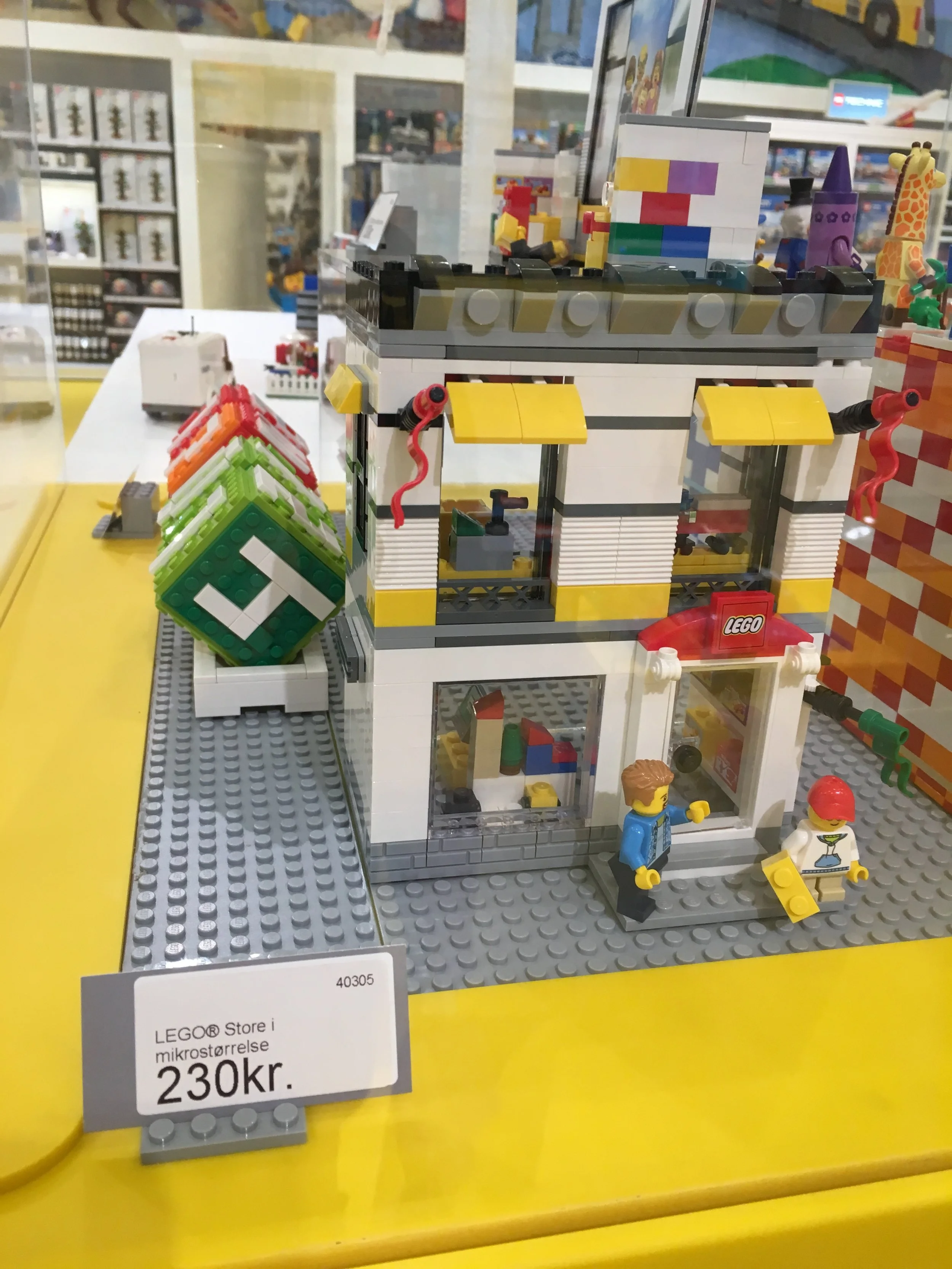
The store sells a bunch of LEGO® House swag to include mugs, t-shirts, minifigure key chains, and a book about the LEGO® House. My NLS got a minifigure and I got some of the exclusive sets (which I’ll cover at another time). The only other set I saw that you can’t get everywhere was #40305-1: LEGO Brand Store. It was out of stock and the employee said they would be getting a shipment in the day after I left. I was disappointed, but given the exchange rate today, 230 DKKs comes out to be $34.40. If you look on Brickset.com, it says the price in the US is $24.99. So I’m glad they were out of stock because I would have paid an extra $10 over buying it from a Brand Store in the US.

Overall it was a good store. They had a good selection of sets in stock and the store employees were helpful. I did not go around comparing prices too much so I can’t tell you if it’s worth it to buy sets there or not. Definitely check the exchange rate if you are there and see if you should just wait to buy in the US.

One note about buying LEGO sets in Europe… the VAT or Value Added Tax is added into the price already. This is unlike the US where sales tax is added on at the register. Some areas in Europe have places where you can get a form at the store and turn your receipt and form in at a location at an airport before you leave to get reimbursement for paying VAT. The store there has signs mentioning that VAT savings so it might be something to look into if you fly to Billund.

Obviously the big draw for LEGO® fans is the LEGO® House exclusive sets. I will capture #21037-1: LEGO House, #40366-1: LEGO House Dinosaurs, and #4000026-1: LEGO House Tree of Creativity in individual reviews.

40305_lego_store.jpg

Nearby the LEGO® House - A Short Tour

I did not get hooked up with any kind of special tour of the area or even ask for one, so here’s a quick tour of the LEGO® campus near the LEGO® House.

This sign is pretty close to the exit/entrance to the parking garage.

sign.jpg

While not open to the public, you can see the LEGO Idea House from the outside. This building is connected in the front by Ole Kirk Christiansen’s original house. I didn’t take a picture of the house in the front as they were doing renovations at the time and it was covered with scaffolding. The LEGO Idea House is in the back and while I didn’t go in, you can watch Beyond the Brick’s tour here. You can see through the windows in the front some of the museum to include the original green molding machine.

idea_house.jpg
idea_house2.jpg

I’m not sure where I saw it… some documentary video on LEGO® or something, but this building was described as where all of the design magic happens. I did not go inside and I don’t have the official word from The LEGO® Group so I could be wrong. They have the ability to close the various shutters that you see that are open so prevent people from taking video or pictures of what is inside. They didn’t shut the shutters after I took my picture. I didn’t get too close, but you can’t see too much anyways. You could see some LEGO® items in the window to include a poster from The LEGO® Movie in one of the windows, but that’s about it.

designer_building.jpg

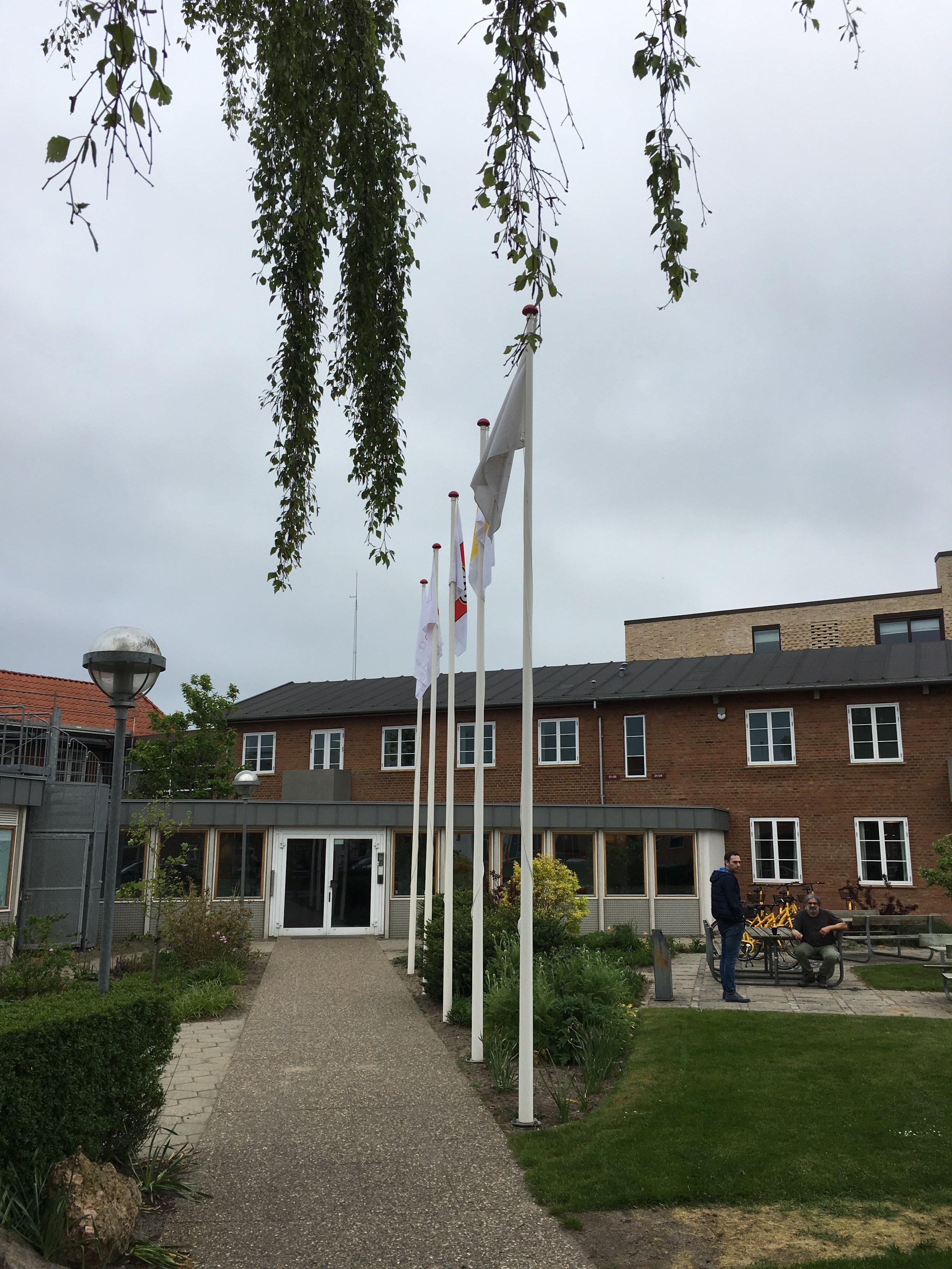
After you pass the Idea House and some shops, you come up to the LEGO® House. The entrance visible from here leads directly into the Square area. Underneath the yellow steps is the Brand Store. The windows furthest to the left are some of the staff offices for the administration of the facility. If you were to go to the right in this photo, you would see the restaurants inside the LEGO® House.

Sorry for such a short tour, but my goal was to go to the LEGO® House and not tour around the campus. Maybe someday I will get into the Inside Tour…

lego_house4.jpg

The Journey to Billund, Denmark

I went to Billund and the LEGO® House and it was awesome! Over the next few posts, I plan to give some reviews and share my experience to help others who may be planning a trip there. If you missed my post about planning your trip in the early stages, you can see it here.

For most Americans, the experience starts with landing in Billund at the airport. Since I live in Germany, the experience was a drive to Billund through Germany. The total drive for my family was around 10 hours, but we broke it up into a few days. We drove to northern Germany and spent a bit of time there before heading north.

Denmark_sign.jpg

Most countries in Europe greet you with a sign like the one to the left. The border had a checkpoint on the inbound side. We did not have to stop so that was good for us.

And while us crazy AFOLs would love to think that the border has brick built cars and minifigures waving to you as you drive in, I can assure you that it is not the case.

We drove to Vejle, Denmark (highlighted on the right) and established our base camp there for our visits to the LEGO® House (we planned for 2 days) and touring around elsewhere in Denmark.

If you’ve never been to Denmark, it’s pretty expensive. We found that out quickly as lodging in the Billund area is not cheap. People come for LEGO® and then there’s another theme park there, which I had never heard of, called Lalandia. The place we found in Vejle was a townhouse which works for my family as we can cook our own food versus going out to eat a lot.

Picture from Google Maps

Picture from Google Maps

Billund_sign.jpg

The drive from Vejle to Billund was around 30 minutes so not bad at all. Vejle is not a big city and we were on the outskirts. After driving out of Vejle, the drive to Billund was mostly through countryside, farm areas, and small sections of housing.

This was our greeting to Billund… again no LEGO® references yet. Sorry.

Our first greeting to LEGO® comes along the roadside. There were actually a few sets of large 2x4 bricks along the side of the road. Some had cows grazing nearby. There were some buildings nearby so I wasn’t sure if those were owned by The LEGO® Group or not.

roadside_bricks.jpg
LEGO_house1.jpg

And then there it was… the LEGO® House.

There is a lot of new development going on around it (as you can see in the picture) and the roads around it have a bunch of newer looking shops and restaurants. In my excitement to be there, I of course focused all of my pictures on the LEGO items so I apologize for not getting anything on the surrounding areas. We did stop at a bakery there (yum) and my wife found a cool print that said Billund in a shop nearby. Other than that, our visit focused on the brick.

We parked in the parking garage nearby. It’s about 500 meters or so from the garage to the LEGO® House. For each of the two days we spent there, the cost to park was 60 DKK. We paid $8.98 on one day and $8.99 on the second day with the change in exchange rate. This isn’t bad considering we’ve parked in Europe for much worse. In some of the bigger cities such Brussels and Munich, we paid around $25 for the day. My work sent me to Frankfurt and parking there was around $40 for the day (which they thankfully reimbursed me for).

Back to the brick… we were excited to see more and more LEGO® references and we liked how the signs in the garage looked like they could be bricks stacked on each other. Each floor of the garage had a different theme on the wall. We didn’t get pictures of those, but definitely better than some of the plain, boring parking garages I have been in.

garage1.jpg
garage2.jpg

We made it! After seeing all of the videos and blog posts of others, it was very exciting to be there in person. Over the next few posts, I will go through the inside and give some related reviews to the LEGO® House experience.

lego_house2.jpg
Lego_house3.jpg

Planning a Trip to the LEGO® House

I am super pumped to be planning a trip to the LEGO® House in Billund, Denmark. One of the advantages to living in Europe is that we can skip the expensive plane tickets from the US. It’s about a 10 hour drive from where I live to Billund so definitely not a short hop to get there, but we’re in the same time zone and we’re going to make a vacation of it. The plan is to take our time by driving, then doing some touring in northern Germany, and then driving to Denmark. We’ll spend a few days in Denmark before we drive back with another stop in northern Germany to see some sights and not spend all day in the car.

My blog is written towards Americans so talking about driving to Billund probably doesn’t help too many in my audience. Sorry. I’ve heard numerous times in write ups about visiting Billund how you didn’t have enough space in your suit case to bring home goodies. I thankfully will have a vehicle so I am hoping to be able to cram my brick loot into the car.

So what do you need to know about the LEGO® House?

First off, I recommend checking out some of the fan media videos out there. Beyond the Brick has useful LEGO® House tour video out there. There are some others too so feel free the check them out and be inspired.

Picture from Lego.com

Picture from Lego.com

Onto the planning… The LEGO® House web site is very user friendly and informative.

To start off, tickets are listed as 229 DKK. In US dollars that’s a bit over $34 each (at the exchange rate when I wrote this post). Kids aged 2 and under are free. All of that is if you pay at the LEGO® House. You can buy online ahead of time for 199 DKK or just under $30. The site says you have to reserve a time to enter, but our tickets we bought online just have the date. So I assume our date isn’t busy. If you get a season pass, you are not guaranteed entry on every day, but it’s an option if you can go a lot (you are lucky if you can go a lot). The season pass is 399 DKK (just under $60). There are other options as well that you can see on the site like group passes and cheaper prices for arriving much later.

Check the calendar online before going as some days it is closed or sold out. Also the hours vary based on the day that you go. Keep in mind the the experience zones open later than the Square. The square includes the LEGO® brand store in the LEGO® House, a play area, and a few other things.

Parking at the garage is 10 DKK (about $1.50) an hour which for Europe is actually a really good price. The site says there is free parking further away. I’ll be going with my family so being closer would be better for my kiddos.

Why go now? One reason is that my time off from my non-brick job got approved, but in terms of the LEGO® House itself, what’s is there to see now besides the Experience Zones?

-The Fullsize LEGO® Technic™ Bugatti Chiron (YouTube videos from LEGO here and here) will be there from 16 May 2019 until 10 June 2019
-The LEGO® Star Wars™ exhibition (The BrothersBrick Blog did a good article on this here) is scheduled to be there through 2019. It celebrates 20 years of LEGO® Star Wars™ sets.

My goal is to have a number of posts about the visit. There is a lot out on the web already about what is inside the LEGO® House itself and I will provide some of that too, but I hope to cover a bit about where to stay, some things to do in the Billund area, and whatever else I stumble across. So stay tuned…

In the meantime, happy building!

Set Review - #10264-1: Corner Garage - Creator Expert - Modular Building

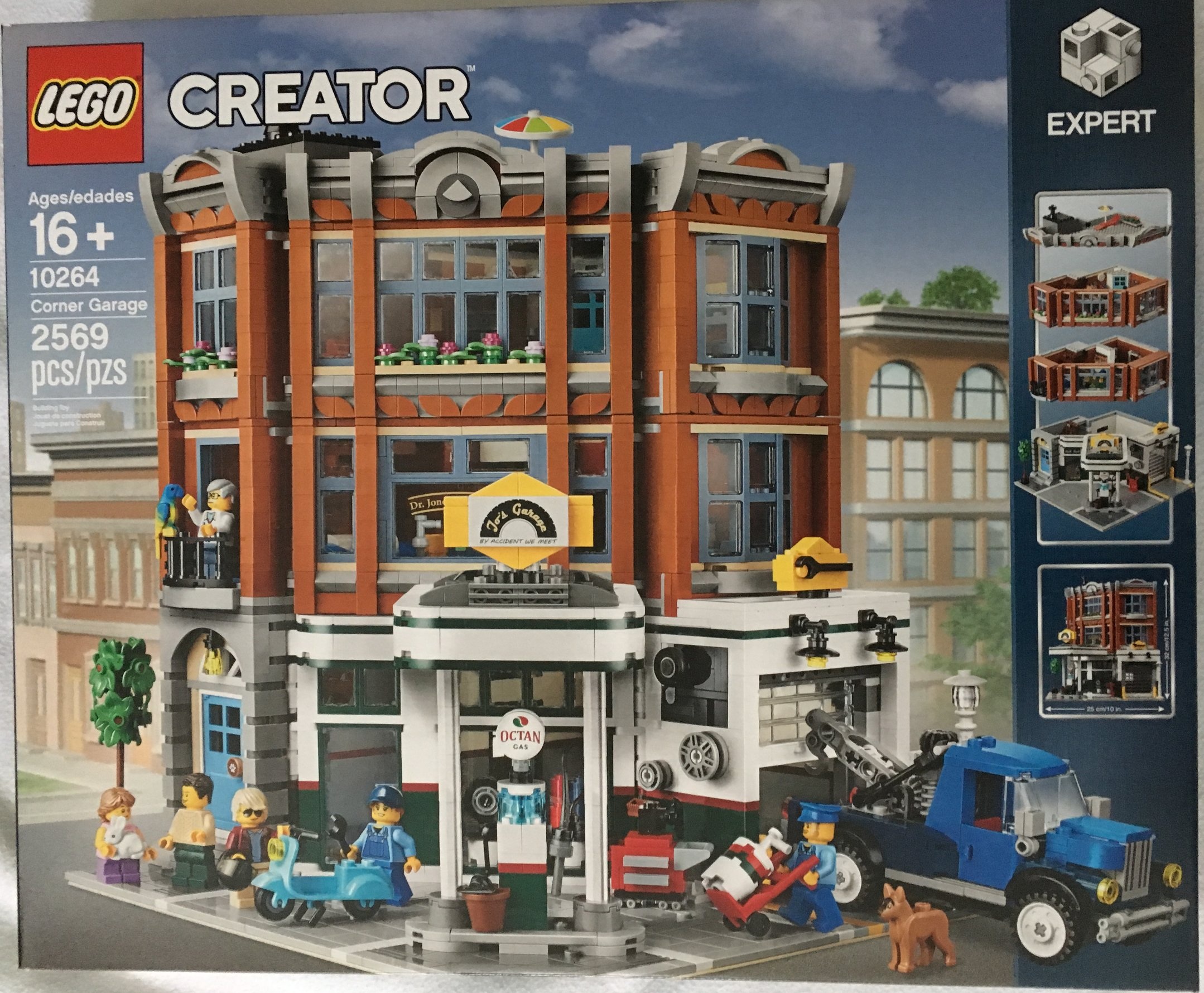
The modular building line for Creator Expert started in 2007 and is back this year with #10264-1: Corner Garage. It was released on 2 January 2019. This one cost $199.99 and with 2,569 pieces, it works out to be $0.078 per piece.

You can see the previous Modular Building reviews at the following links:
#10246-1: Detective’s Office (2015)
#10251-1: Brick Bank (2016)
#10255-1: Assembly Square (2017)
#10260-1: Downtown Diner (2018)

A lot of the reviews I’ve read or watched have been negative towards this modular set. They’ve said it’s rather plain and doesn’t have a lot of the detail others have had. So we’ll see…

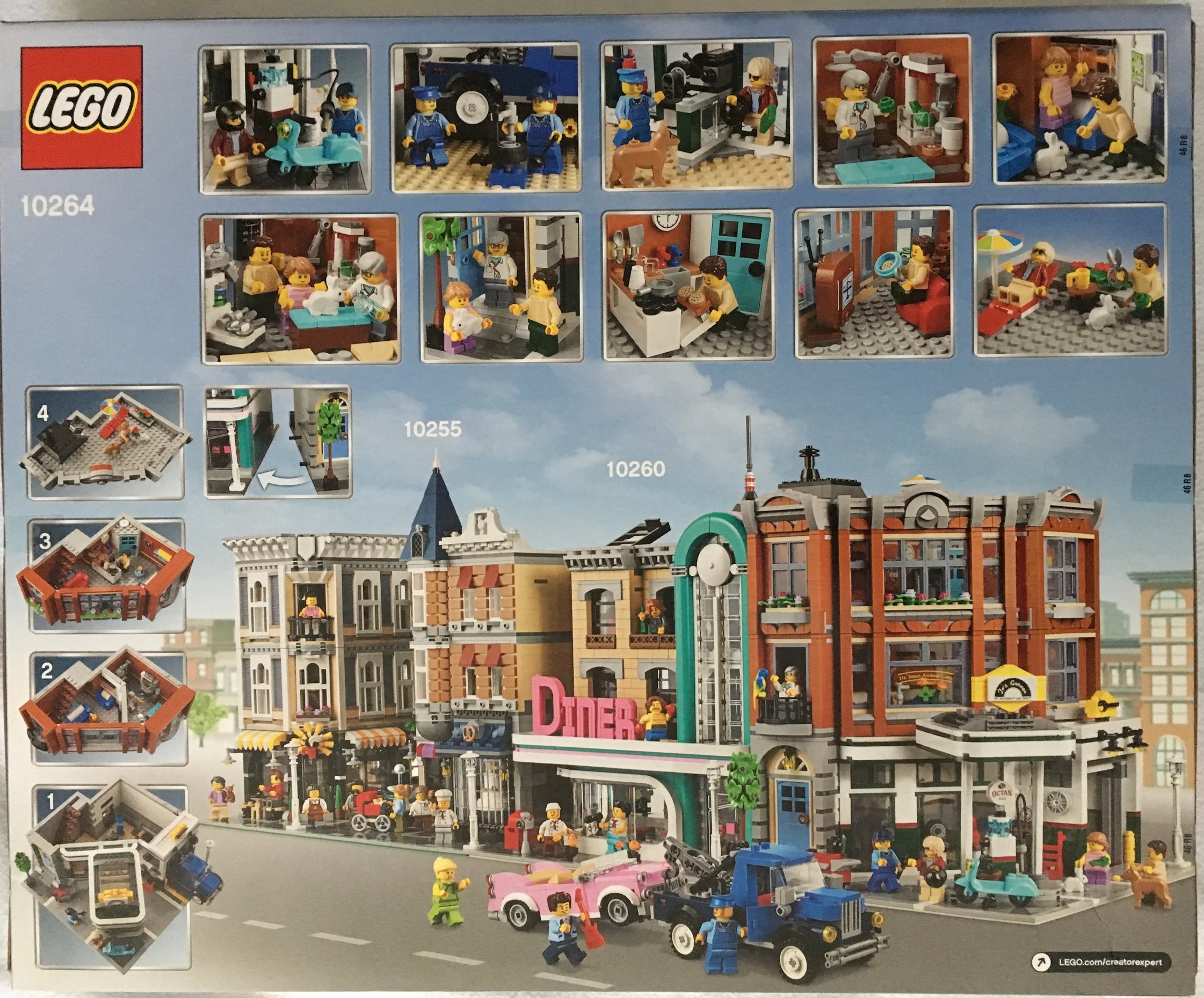
Like others, the front shows the full build with the different floors on the right side. The back shows some of the inner details and then how it looks next to some of the previous modulars. The box shows it next to the Assembly Square and Downtown Diner. I think it looks pretty good there.

10264_box_front.jpg
10264_box_back.jpg

The contents are six sets of bags, an instruction booklet (that comes wrapped), a 32x32 stud tan base plate, and two 8x16 light gray plates. I’m not sure why the 2 light gray 8x16 plates are separated as there are also some in bags too. Oh, and no stickers! Whoo-hoo!

10264_contents.jpg

The first set of bags starts the first/ground floor. It includes quite a few 2x2 light gray tiles for the floor and road portion. You can see the start of the garage as well as the lift. There is a tool box in the garage for the mechanic to use and a broom and dolly outside. This set of bags come with a dog and a male mechanic minifigure (I’ll hit on the minifigures later).

10264_bag1.jpg

One thing out of the ordinary for this portion of the build is the lift. There is a simple function that allows you to have the lift go up and then down. As you can see in the 2 pictures, you slide the piece out and it goes down and then you push it in and the lift goes up. Nothing to challenging, but it is cleverly integrated in the build without taking away from the aesthetics too much. So far I have only tried it with the vehicle that comes with this set and it works with that one, but that one is slightly heavy. I have yet to try it with a lighter vehicle.

10264_lift_down.jpg
10264_lift_up.jpg

The second set of bags mostly finishes the ground floor. Internally, there are some items for sale to include tires and maybe motor oil. There is also a cash register and counter. Then there’s a door entrance opposite the garage to go up to the higher floors. On top of the garage door is a small sign for the shop with a wrench on it.

This set of bags include a small Vespa type motor bike and a male minifigure who is the rider.

10264_bag2a.jpg
10264_bag2b.jpg

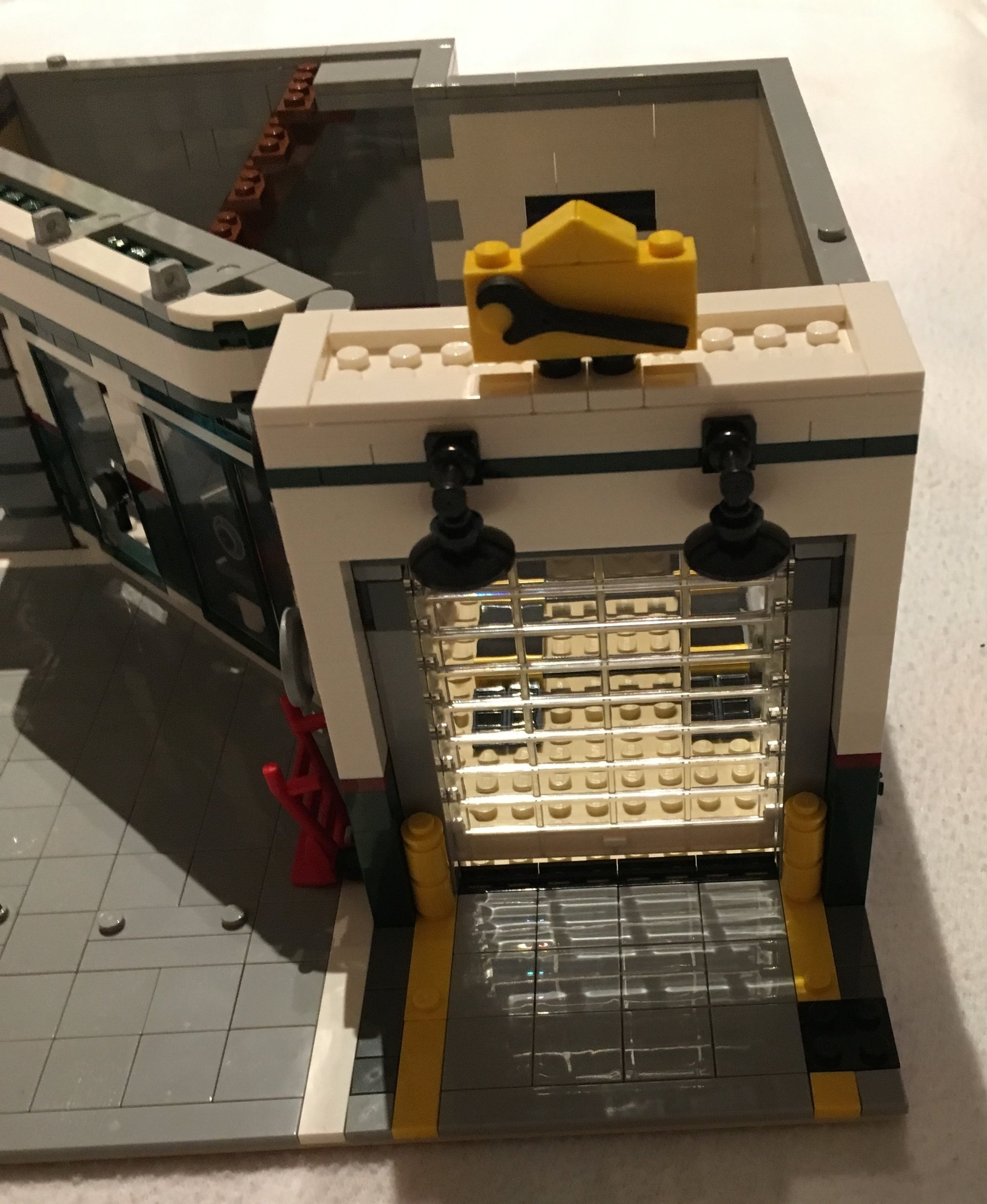
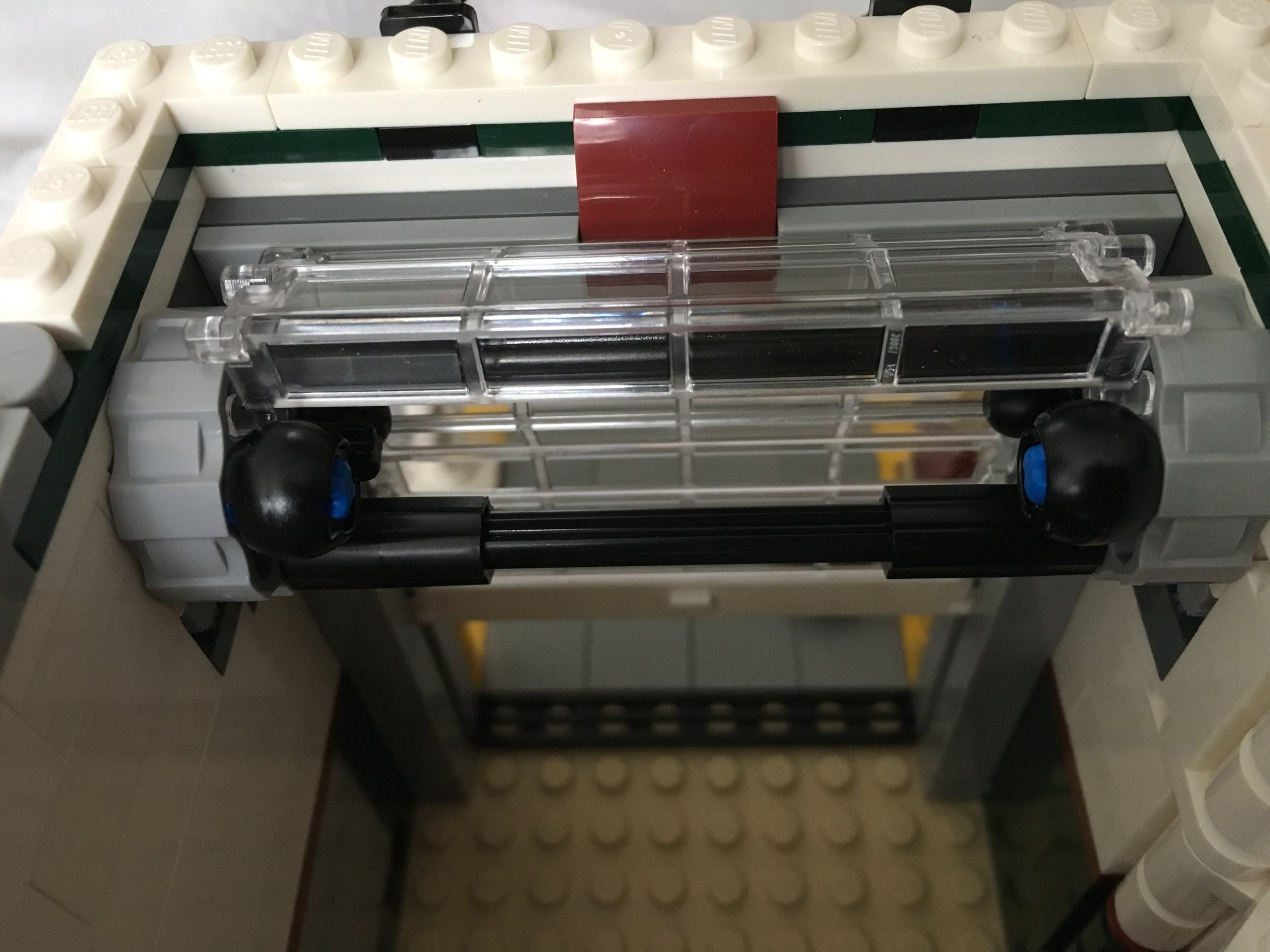
The garage has a door that can be opened and closed. It is the standard door used in some of the CITY sets, but it does not have the same attachment. There is a wheel on the outer wall that you spin to open or close the door. When you open it, the door parts roll up. When it closes the door goes down in a track along the walls. Some of the CITY fire stations just have the garage doors stay on the track the whole time. When the door goes up, it just slides up above the vehicle stall versus rolling up like it does in this set. I had a bit of trouble putting this together correctly, but eventually figured it out so it works fine.

10264_bag2_door.jpg
10264_garage.jpg

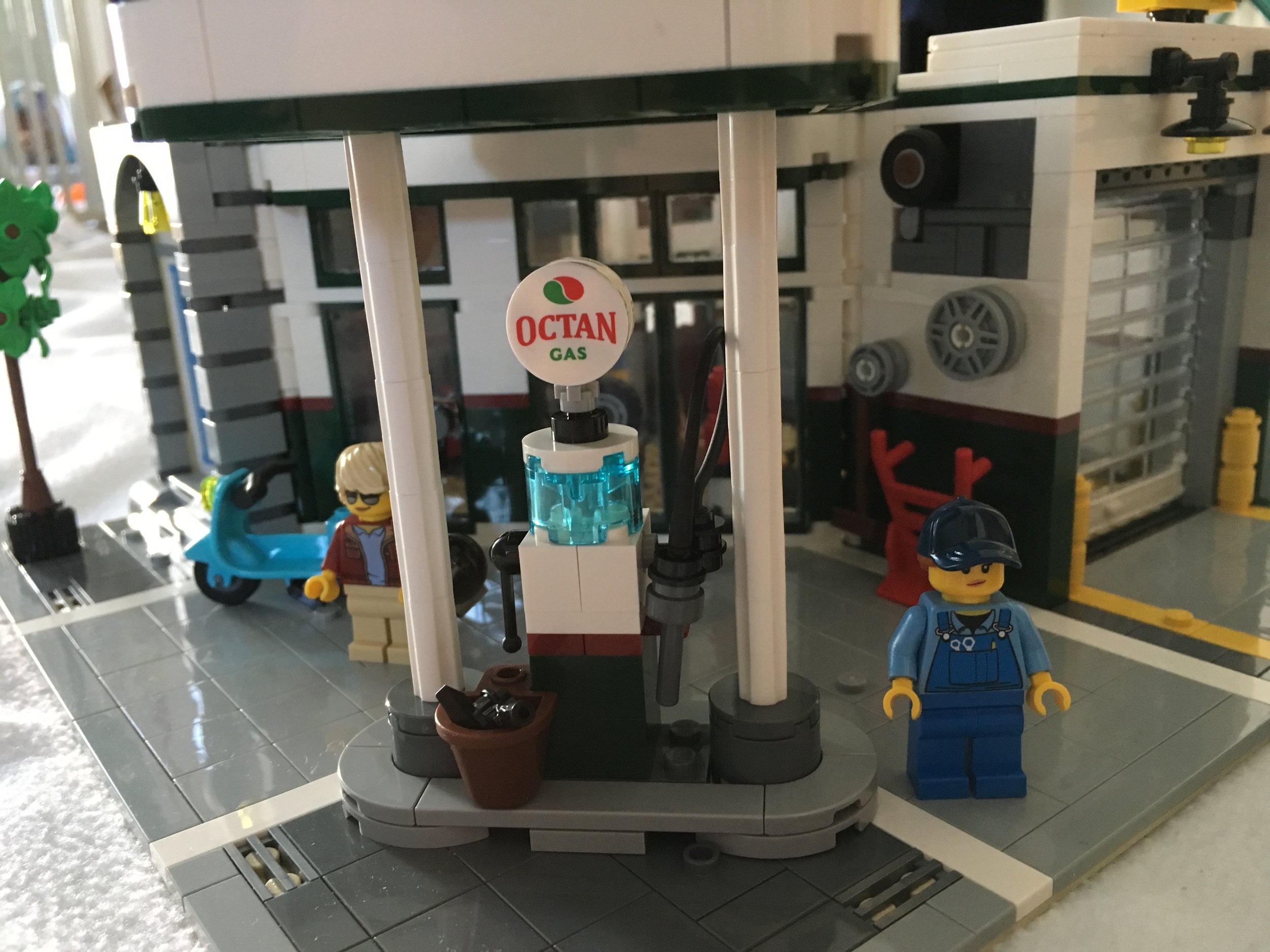
The third set of bags builds the gas pump, the covering over the pump, and the tow truck. The gas pump is an old fashioned pump with a cool Octan logo on it. The covering over the pump has a sign that reads “Jo’s Garage” with the catchy and clever saying of “By Accident We Meet.” A blue tow truck is included too. It’s in the older style… maybe 1930s or 1940s… and has a simple mechanism to raise and lower the hook. This parts bag also has a female minifigure who is a mechanic.

Also included in this parts bag is a small tree that uses one of the newer leaf pieces to make the branches.

10264_bag3a.jpg
10264_tree.jpg
10264_bag3b.jpg

The fourth set of bags builds the second floor which is a Veterinarian’s Office. The front window says “Dr. Jones Animal Care - No Snakes.” Yet another clever graphic by the designers.

10264_bag4a.jpg
10264_bag4b.jpg

The waiting room has a small waiting area to wait for your animal to be taken care of. There is a girl minifigure who can’t actually sit on the couch or chair and a parrot who hangs out there. The waiting room also has a small table with a coffee mug, some flowers, and a fish tank with a fish in it that is build into the wall that divides the office with the waiting room.

The Office has an examining table, a work desk for the vet, a lab station, and a table with some equipment for the vet to use. The instructions have the vet examining a rabbit on the table.

Despite the size of the floor, the designers were able to squeeze a decent amount of detail in. I’m impressed.

10264_bag4c.jpg
10264_bag4d.jpg

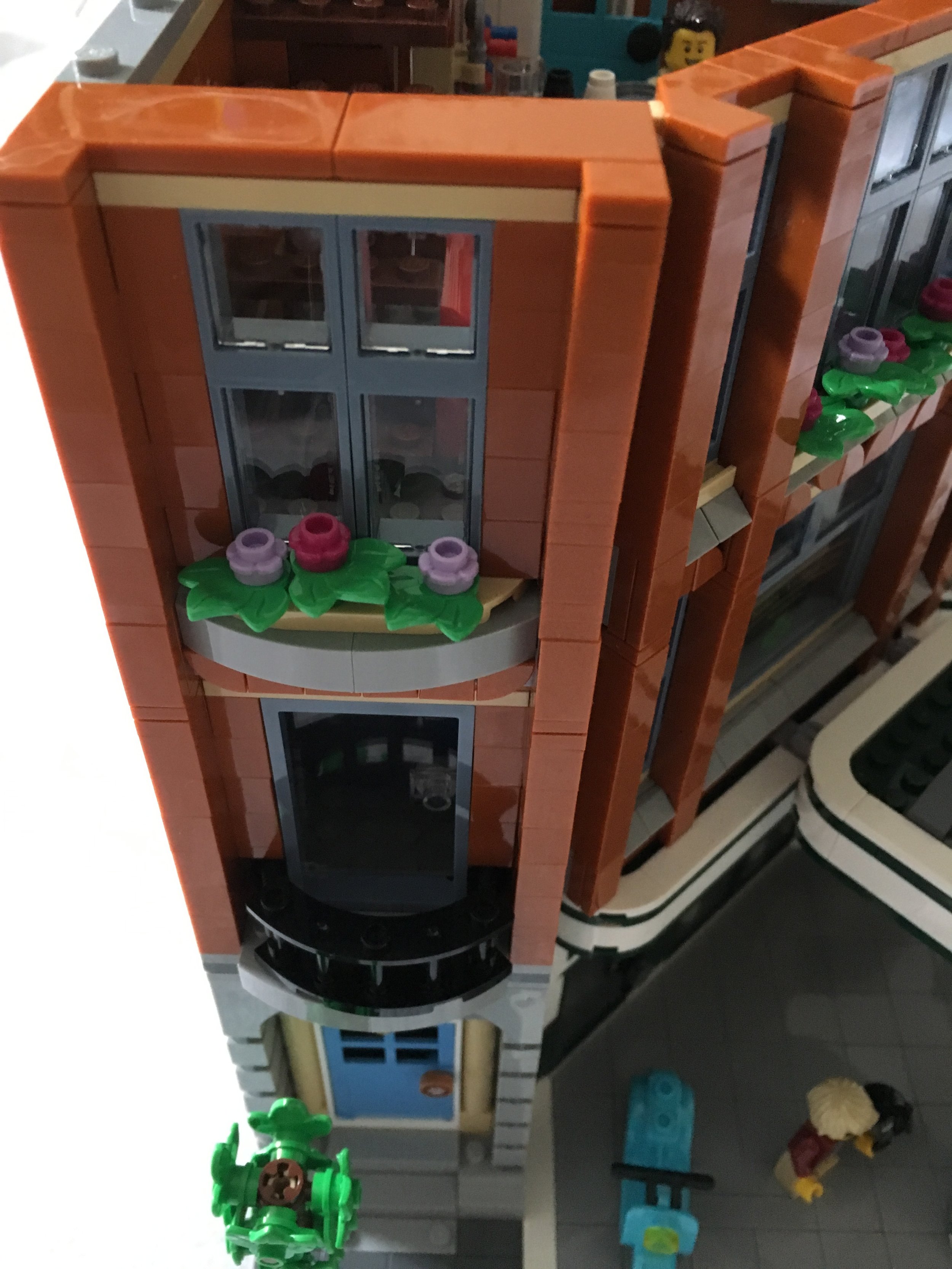
The fifth set of bags completes the third floor. This floor is a studio apartment with one male minifigure that lives there. The apartment has a small kitchenette, a bathroom, a bed, a TV, a couch, and some decorations on the wall (a truck and a record). The front of the building continues with the brownish color (I’m not sure of the official term used by LEGO) with the blue-gray colored window frames. The third floor has some flowers growing on the window sill. You can also see some of the design done by the 1x1 pizza slice tiles (my name, not the official name) on the second floor.

10264_bag5a.jpg
10264_bag5b.jpg

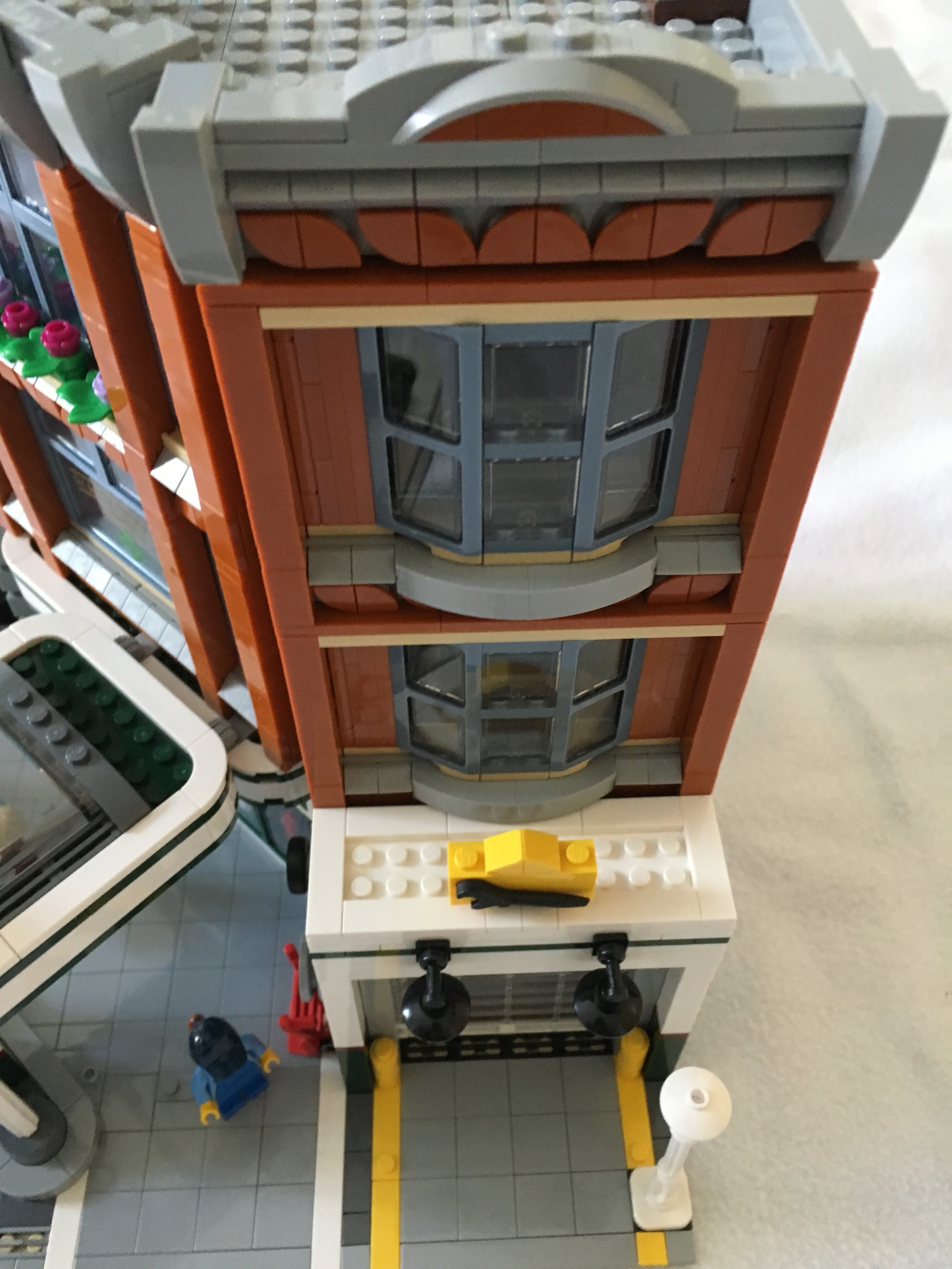
I wanted to make sure the windows get captured because I like the way they were designed. The ones on the second and third floor above the garage door are made using SNOT techniques with one of the clear pieces used for truck windshields. I like that the windshield pieces are still framed by the same blue-gray color as the other window frames. The side above the front door has a balcony on the second floor and a window on the third floor. I’m not sure why the vet’s office needs a balcony versus the studio apartment, but you can always swap them if you want.

10264_bag5c.jpg
10264_bag5d.jpg

The sixth set of bags finishes up the build and completes the roof. The roof has some flowers growing, a lounge chair to relax on with umbrella overhead, and the doorway to get up there from the stairwell. This floor also completes the facade on the front. The facade design is pretty simple, but I still think it makes it look a bit more elegant and fancy versus just a plain corner on the top.

10264_bag6a.jpg
10264_bag6b.jpg

I added pictures of both sides so you can see the designs above each of the side windows. I like the use of the new-ish 1x1… um… it looks like more of an equilateral triangle or isosceles triangle versus a cheese slope… piece.

10264_bag6c.jpg
10264_bag6d.jpg

This set comes with six minifigures. On the top there’s the vet (Dr. Jones we assume) and 2 mechanics (a female and male). On the bottom are the “cool guy” who has a helmet to ride the motor bike, the girl who brings her pet to the Vet, and the man in a sweater who lives in the studio apartment. In my opinion, it’s a good mix of minifigures and I think having facial expressions adds to the set versus the original smiley face they used to have in the original modular building sets.

10264_minifigs.jpg

A closer shot of the vehicles… The tow truck has 2 tones of blue which gives it a nice look and then the motor bike.

10264_truck.jpg

Overall, this is not my favorite modular building, but I don’t have as many complaints as I saw in other reviews. I like how the angled wall in the front was done to create a corner building. There are a lot of pieces in great colors you can use in MOCs if you decide to tear your building down. The signage is clever with some of the humorous clips and the old fashioned Octan logo should become pretty popular on the secondary market. I’m a fan and I can’t wait to add it to my other modular buildings some day.

As for downsides, I think the garage portion could use a bit more detail. Maybe some more equipment for fixing cars or more things to sell. Also, the color transition from the white and green to the tan-ish and blue-gray on the second and third floors doesn’t go well with my untrained eye. I’m not sure what to recommend, but it seems to clash slightly with me. To be fair, if I’m going to complain, why don’t I just redesign it myself, right?

What are your thoughts? Is this modular building really awful? Or maybe just not as good as some of the ones in the past? Or maybe it’s just different from some of the ones we’ve had in the past like the Parisian Cafe or Grand Emporium. Let me know what you think.

Happy building!

10264_final1.jpg
10264_final2.jpg

New LEGO® Shop @ Home Rule for Collectible Minifigure Buys

I went to order some of the new Disney Series 2 minifigures from Shop @ Home. The maximum limit per order was listed as 18. While placing that order, I figured I’d throw in a few more of the LEGO Movie 2 minifigures. I added 5 to my order. A little while later I received an email from LEGO stating that my order was cancelled because I “went above our purchase limits” for the LEGO Movie 2 minifigures. The message went on to state:

“We sometimes put limits on popular sets so as many LEGO fans as possible can get their hands on them. Although you won’t be able to buy those sets right now, we regularly change and remove purchase limits, so it’s a good idea to keep an eye on our website over the next few months.”

WHAT?!?!?!
So I contacted LEGO Shop @ Home customer service. The answer I got was:

“As we want in the beginning to let every LEGO® Fan have the chance to buy the Minifigs without loosing [their spelling, not mine] all stock straight away there is a limit per household of 18 for Disney Series 2 and 40 for THE LEGO® MOVIE 2. So if you reached this quantity in multiple past purchases, every future order which has these sets included will be cancelled by the system.”

Well thanks for letting me know that! I realize not everyone buys that many, but I like to have some extras for my collection and then to sell (when my store re-opens). Apparently I will not be able to use Shop @ Home for that any longer. There are only 18 minifigures in Disney Series 2. What are the odds of ordering 18 and getting the full set? Not very likely is my guess.

Customer service pointed me to LEGO Brand Stores. I was told that I could buy full boxes of Collectible Minifigures (40 in a box) from the stores and that they don’t have limits there. That would be nice if I had one nearby that was easily accessible.

So if you want more than just 18 Disney Series 2 sets, where can you go online from the US (at the time of this posting)?

Amazon.com in the US has the following:
-LEGO MOVIE 2 - Can order up to 30 minifigures for $3.92 each.
-Disney Series 2 - Can order up to 30 minifigures for $3.92 each as an add on (you need to purchase something else and add these to the order)

Walmart.com in the US has the following:
-LEGO MOVIE 2 - Can order up to 12 minifigures for $3.92 each.
-Disney Series 2 - Not Available
-Harry Potter Series - Can order up to 12 minifigures for $3.99 each

Target.com in the US does not appear to sell collectible minifigures online.

Are there any other online locations that you can buy them without a ridiculous mark up?

Obviously you can just go to a physical store to buy them too.

Happy building!